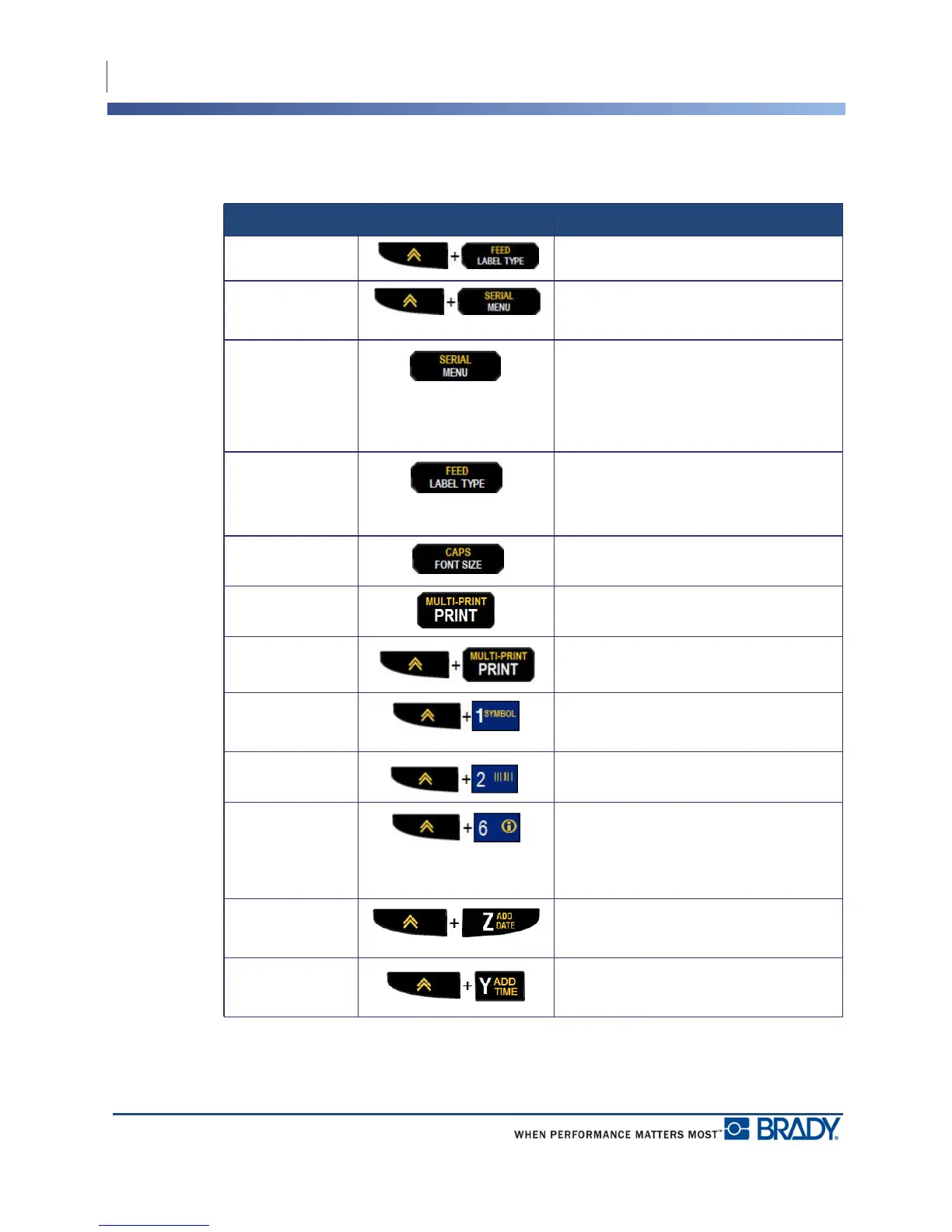
Keypad
Function Keys
22
BMP
®
21-PLUS/BMP
®
21-LAB User’s Manual
Function Keys
Function Key Description
Feed Key Feeds the media through the printer.
Serial Key Sets the start, end, and increment
values for serialization.
Menu Key Provides printer defaults (i.e., language,
units) and other print options not
available on keys. Menu items include
symbols, international characters,
barcode styles, and file options.
Label Type Key Accesses the different applications/
label type templates installed (i.e.,
wiremarker, banner, terminal blocks,
etc.).
Font Size Key Provides font sizes and bold attribute.
Print Key Prints all labels in a label file.
Multi-Print Key Prints multiple copies of a label.
Symbol Key Accesses the predefined graphics
(symbols) available in the printer.
Barcode Key Places a text string in Barcode format.
International Key Accesses characters specific to some
international alphabets with diacritical
and accent marks incorporated into the
characters.
Add Date Key Inserts the current date, as set on the
printer.
Add Time Key Inserts the current time, as set on the
printer.



 To Next Page