Media Cartridge
Recycling the Label Cartridge
16
BMP
®
21-PLUS/BMP
®
21-LAB User’s Manual
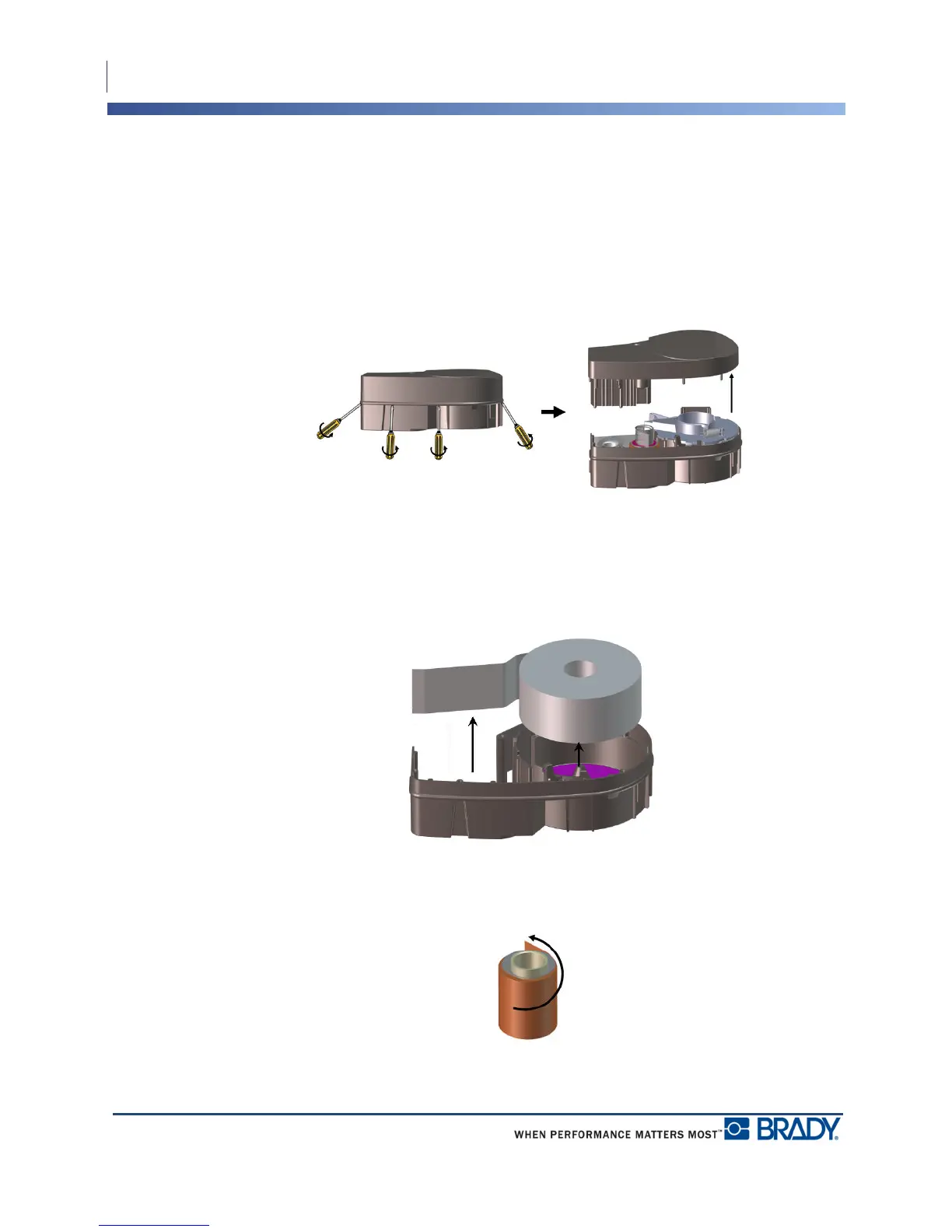
To open the cartridge:
2. Starting at the narrow end of the cartridge, insert the flathead screwdriver into the seam of
the cartridge, then twist the screwdriver slightly to loosen the two outside pieces of
molding.
3. Repeat at various points on the seam until you can separate the top of the molding from
the base.
4. Turn the base of the cartridge upside down and shake gently. Most of the components will
fall out of the cartridge. If not, unhook and pull the components away from the molding.
5. Pull up on any unused media (labels) to remove it from the cartridge molding.
6. Unwind and detach the ribbon from its spools.



 To Next Page