Page 206 of 479
5.14.2.1.2 How to Dump Batch data to external USB memory
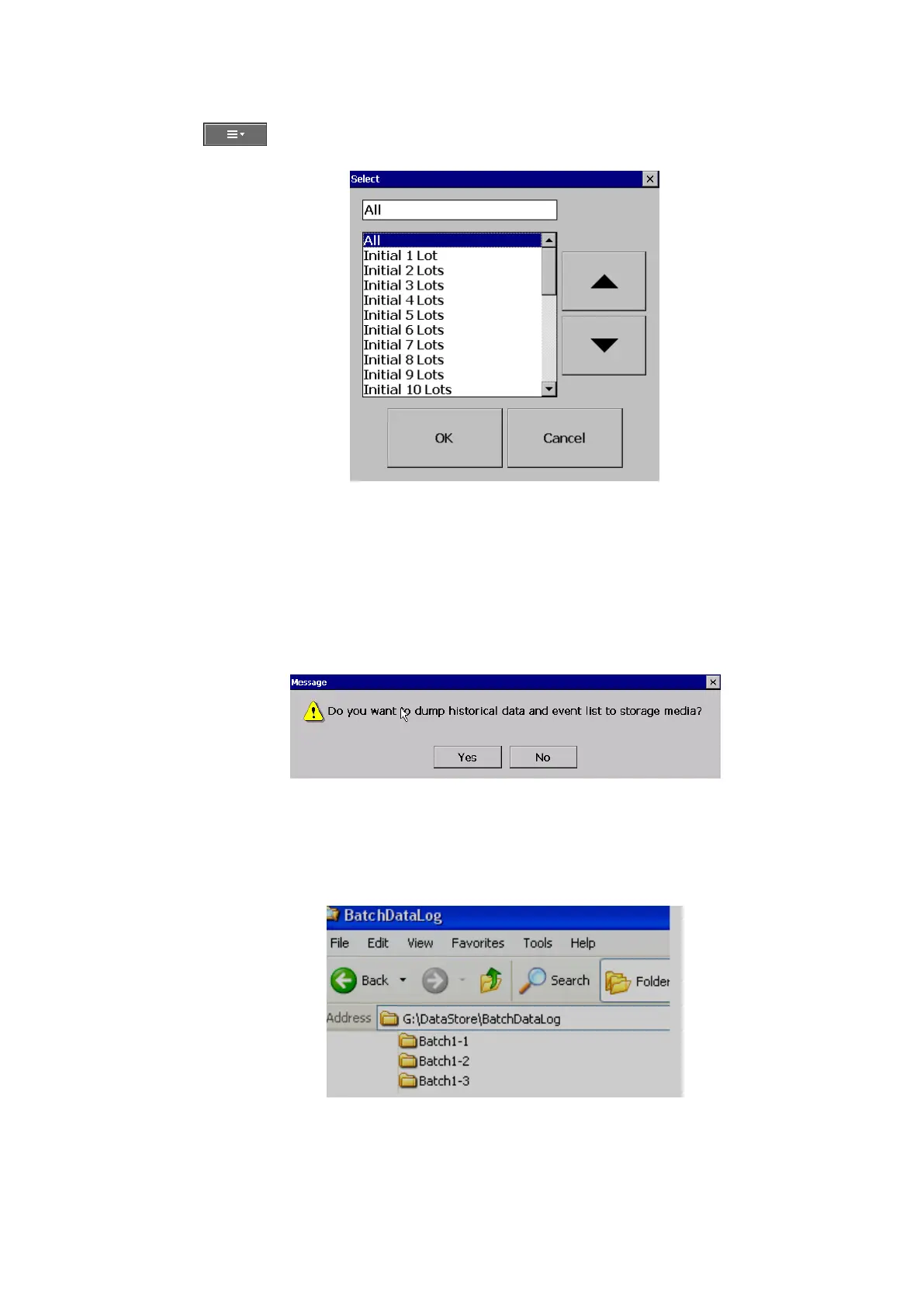
Press on (Menu)-More then press on Dump
Select “All” or required lots and press “OK”
For ex: Batch1-1, Batch 1-2, Batch1-3 are available
Initial 1 Lot means, Batch1-1
Initial 2 Lots means, Batch1-1 and Batch1-2
Initial 3 Lots means, Batch1-1, Batch1-2 and Batch1-3
Note: Provision not available to dump only specific lot.
Please refer Instrument->Data Transfer-> Transfer and Remain
Press on “Yes” to dump data from internal memory to external SD Card or USB memory.
If you have 3 batches, let’s say Batch1-1, Batch1-2 and Batch1-3, then you can see three different folders in
the external USB memory card after completing of dump
Please note that the data available in USB memory is in a proprietary format to avoid any kind of tampering.
You will need PC software to view this data.



 To Next Page