Page 354 of 479
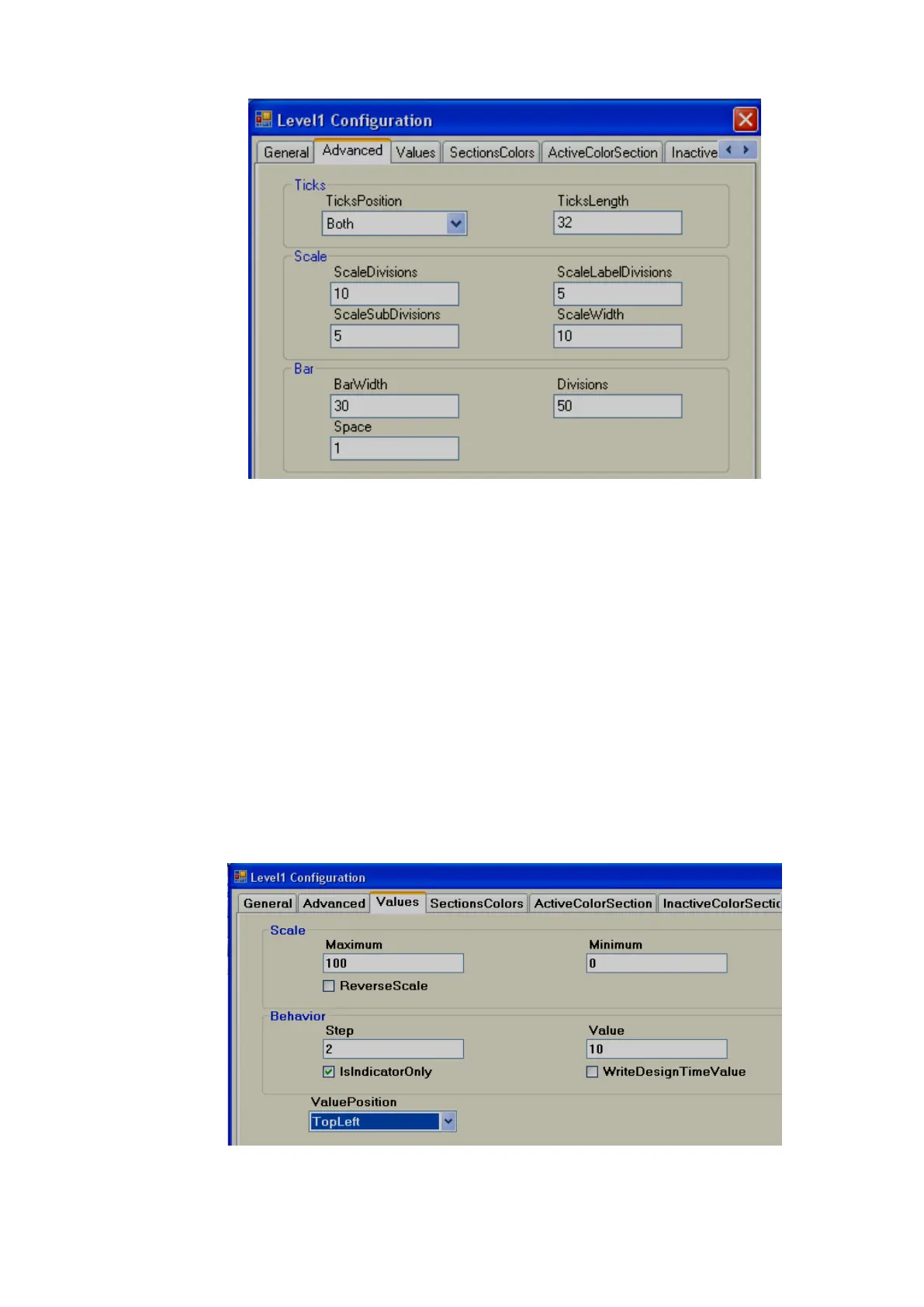
Ticks:
Ticks Position: Define Ticks Position. Available options include Top Left, Bottom Right, Both
and None.
Ticks length: Define length of Ticks in pixels.
Scale:
Scale divisions: Define the number of Big Ticks in Level graph.
Scale Sub Divisions: Define the number of ticks between two big ticks.
Scale Label Divisions: Define the number of Labels to be displayed. Example: If Scale label
division = 5, Scale = 0-100, then, it display labels as 0, 20, 40, 60, 80 &
100.
Scale Width: Define Scale width. If ticks are selected to display on both directions, this is the
defined width between two scales on both sides.
Bar
Bar Width: Define width of Bar graph.
Divisions: Define number of divisions (Like bricks) to appear in Bar graph.
Space: Define Space between divisions (bricks) in pixels.
Maximum: This is the max range of the process value (analog input tag)



 To Next Page