Using the Rechargeable Li-ion Battery/Battery Base (Optional: PA-BT-4000LI/PA-BB-003)
70
13
Removing the Rechargeable Li-ion Battery 13
Press and hold the (Power) button to turn the P-touch off.
Remove the battery cover and the battery, and then reattach the battery cover.
If it is difficult to remove the rechargeable battery, turning the P-touch over with the battery cover removed
may allow the rechargeable battery to fall out.
Be careful that this does not cause any injuries.
Charging the Rechargeable Li-ion Battery 13
• Before use, fully charge the battery.
• Up to three hours may be needed to fully charge the battery.
a Make sure the battery is installed in the P-touch.
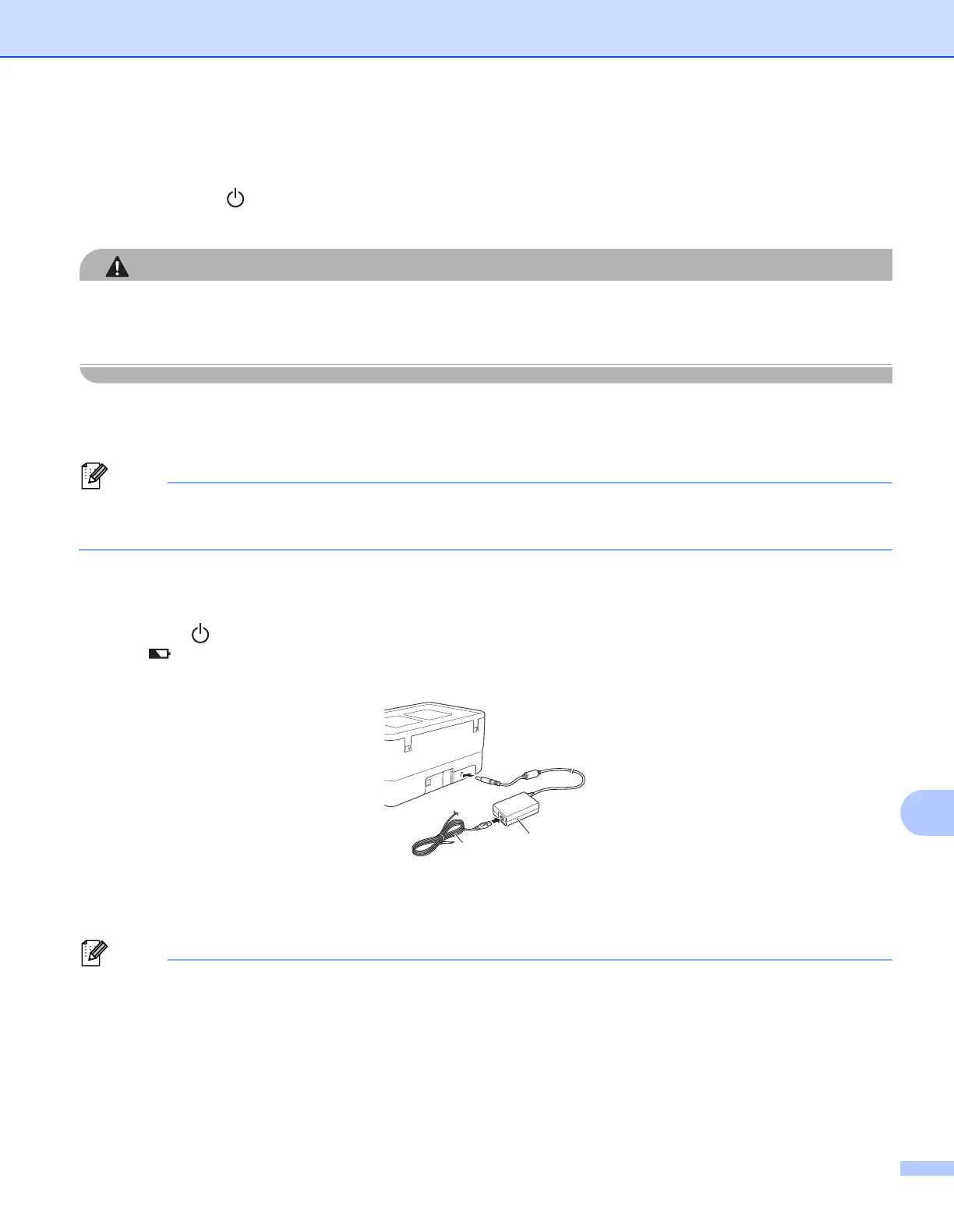
b Use the AC adapter and power supply cord to connect the P-touch to an electrical socket.
Press the (Power) button to turn the P-touch on if it is not on already.
The (Battery) indicator lights in orange during charging, and it goes off when the battery is fully
charged.
1 AC adapter
2 Power supply cord
• Even if the P-touch is turned off during charging, the charging will continue until the battery is fully charged.
• If the P-touch is turned on with the rechargeable Li-ion battery installed and the AC adapter connected to
an electrical socket, the battery will be recharged. However, when the P-touch is turned on, even after the
rechargeable battery has been charged, the battery charge will be used, leaving the battery with less than
a full charge the next time the P-touch is used. We recommend leaving the P-touch turned off while
charging the battery.
1
2












 To Next Page