Installation and Handling
Technical Manual Version 001 BRUKER BIOSPIN 11 (55)
With Hyper Terminal:
Type “ifconfig” at the IPSO prompt to display the IP address:
root@ipso:ifconfig
Enter this IP address in a standard browser‘s URL field.
In a Shell:
Start a broadcast using “ping” and the parameters below will display the IP
addresses of all the connected IPSO devices:
ping –w1 –b 149.236.99.255
Enter this IP address in the URL field of a standard browser.
Proceeding in the browser:
When you have entered the IP address in the browser the browser will display the
“IPSO Service Web” page. Click consecutively on the following to show a list of all
the controllers found as PCI devices. One of them will be the DPP1:
! Information ! View Hardware List
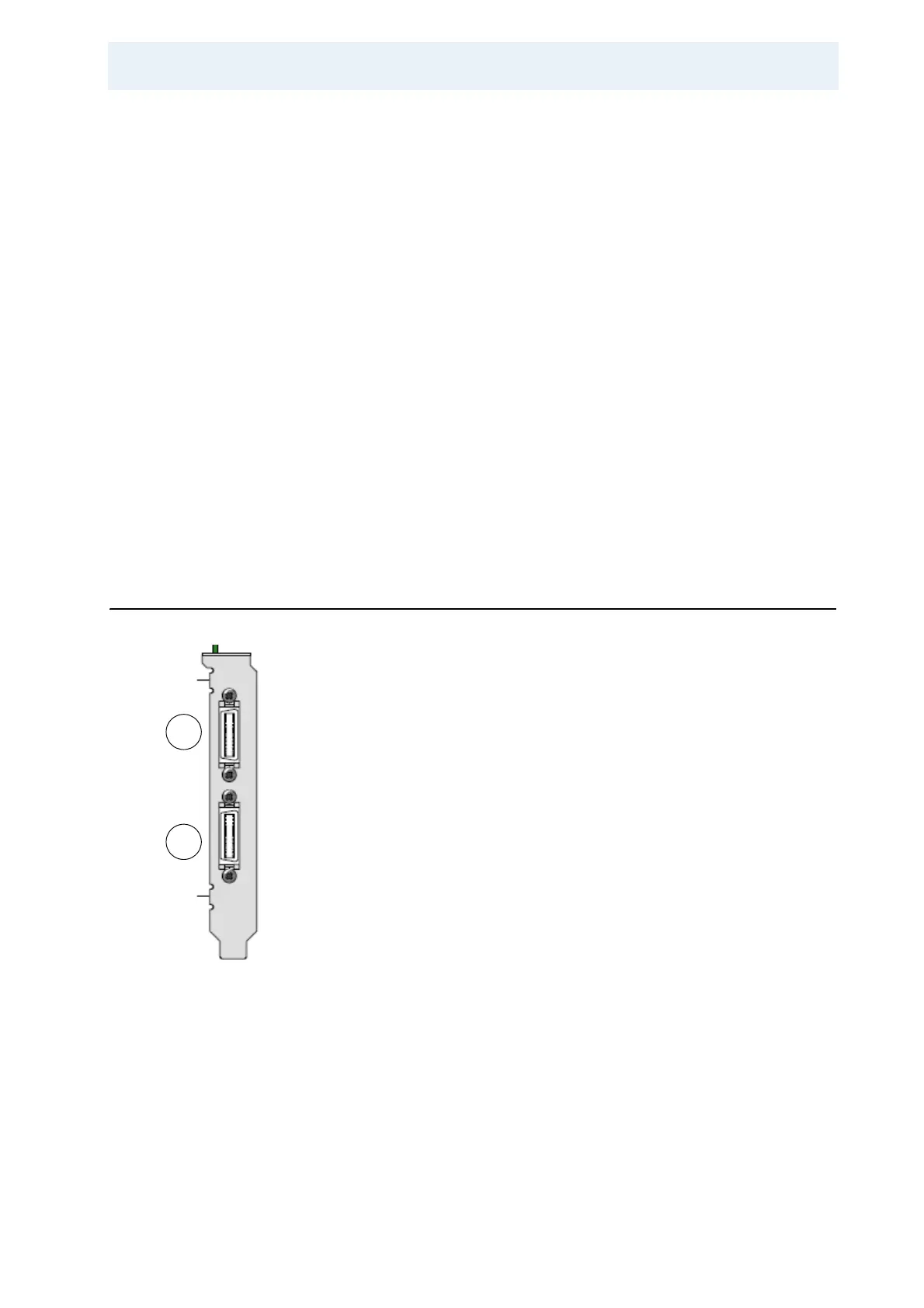
Ports 2.5
Figure 2.2. Ports on the Front Panel of the DPP1
1. 48-Bit LVDS Connector (26 pin) - OUTPUT to the Gradient Amplifier
2. 48-Bit LVDS Connector (26 pin) - INPUT from the Gradient Controller
2
1



 To Next Page