DIAPER FEEDER Device
MATRIX CUBE - 82 -
P1 Programming Level
LFA m/min
Î
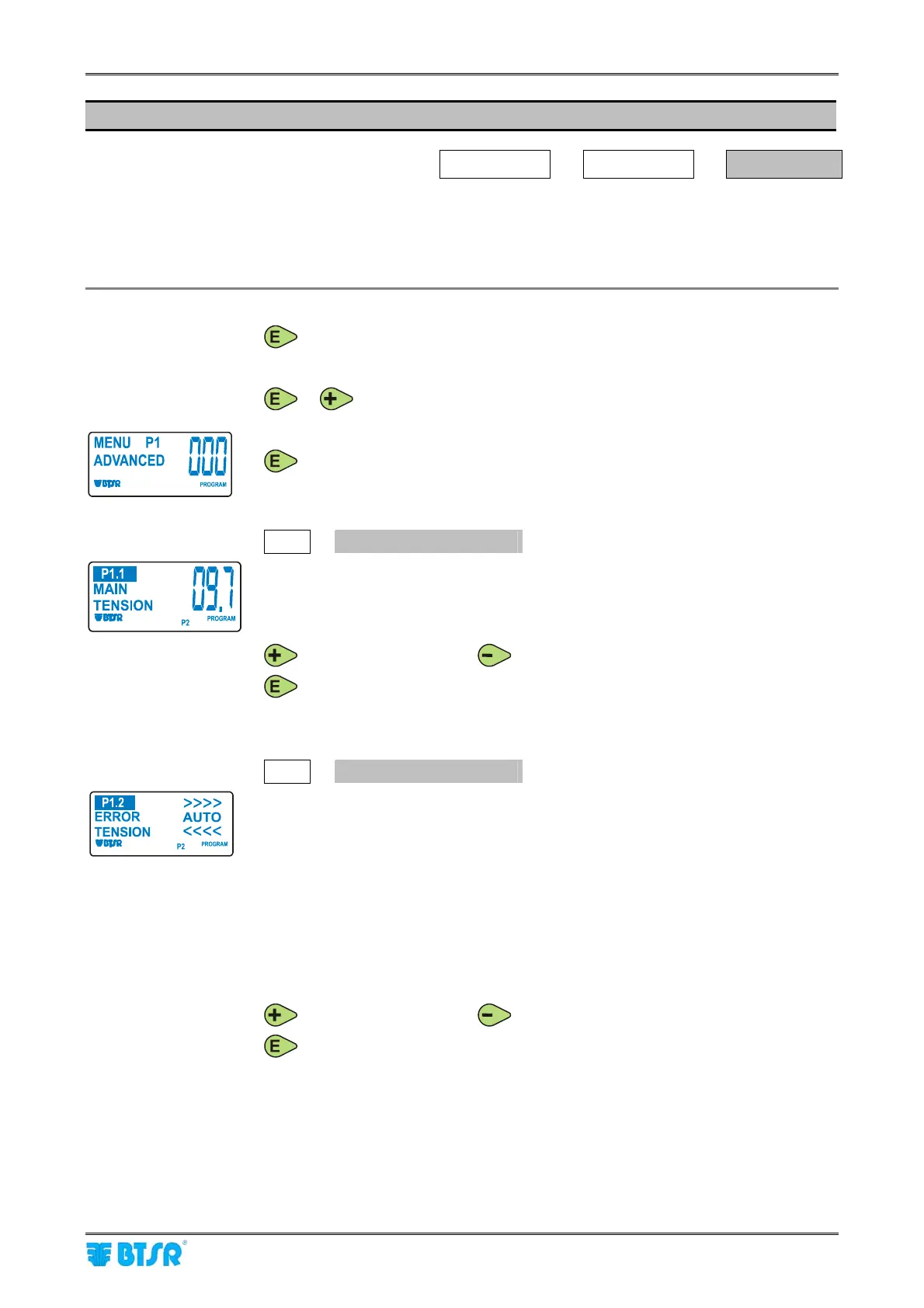
ADVANCED
Î
MENU P1
The P1 programming level allows you to setup 3 parameters:
1) Device main tension;
2) Tolerance with respect to the main tension;
3) Max deviation time from tolerance band;
With the DIAPER FEEDER in CONTROL status, (LFA nnnn displayed on LCD) press
and hold it down for 3 seconds.
The display will show the ADVANCED label and the DIAPER FEEDER will switch to
PROGRAM status.
or to continue.
to start programming of parameters belonging to P1 menu.
P1.1
MAIN TENSION
Tension value with which the DIAPER FEEDER device must operate to create the
desired style.
[Allowed values 0.2 ÷ 99.5 grams].
Choose the desired value using:
(to increase the value) or
(to decrease the value).
to confirm.
P1.2
ERROR TENSION
Tolerance band beyond which the machine will be stopped. The error indication
and machine stop occur only if such tolerance is exceeded for the time period set
in the next parameter (
TIME ALARM).
[Allowed values ± 0.0
(*)
÷ 99.5 grams (with automatic limitation to 0.4 grams for
what concerns the negative tolerance, if the tension is greater than 0.5 gr.,
otherwise it is automatically stepped down, or AUTO)].
(*) Where setting AUTO, the system automatically calculates the error threshold
value as 50% of
MAIN TENSION. This means that changing the MAIN TENSION
value (P1.1), the ERROR TENSION value too changes accordingly, without the
need of changing it manually.
Choose the desired value using:
(to increase the value) or
(to decrease the value).
to confirm.











 To Next Page