Configuration of I/O Signals on SM-DIN and SMART MATRIX CUBE
MATRIX CUBE - 43 -
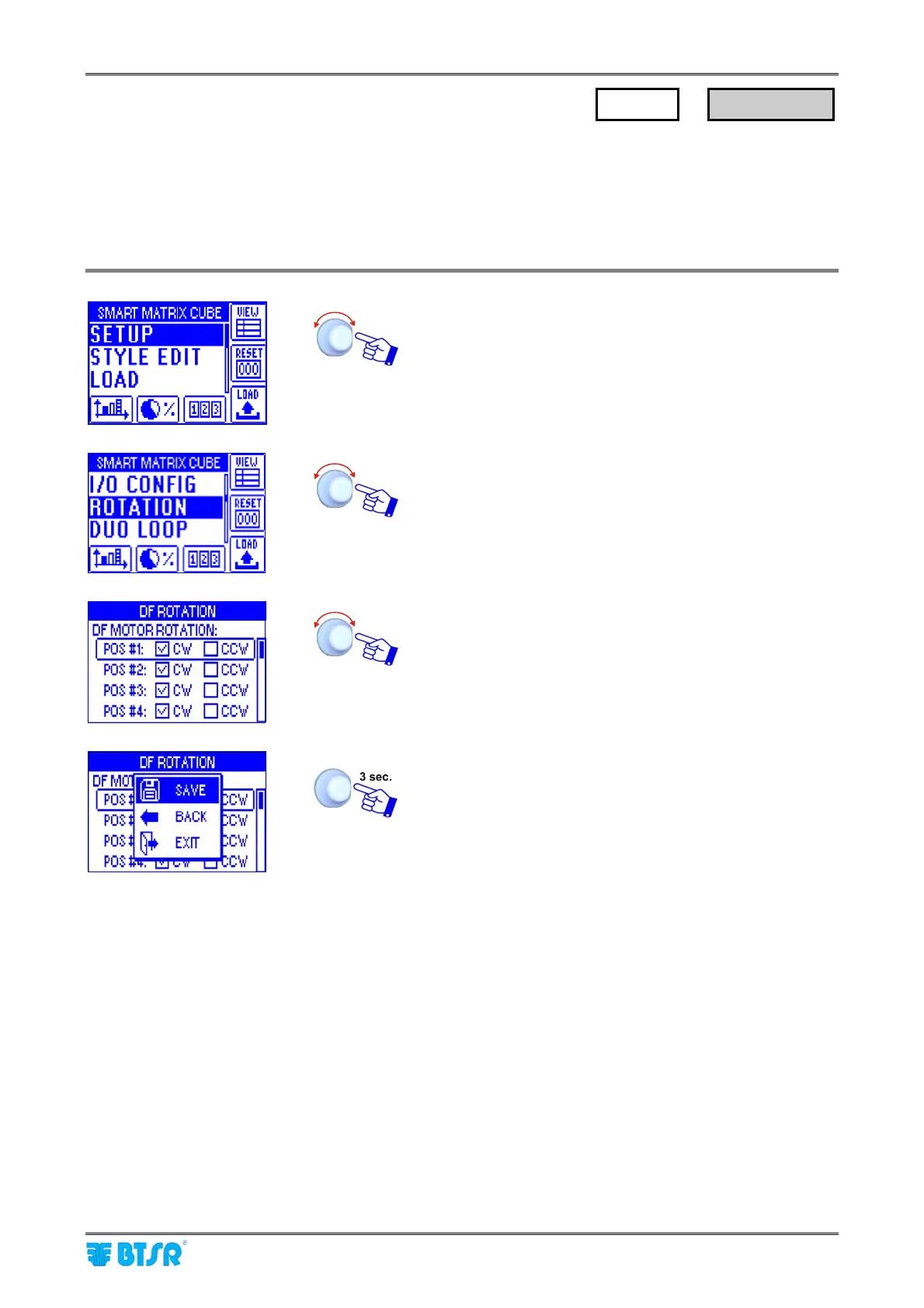
Setting the motor rotation direction
This function allows you to set the motor rotation direction (either clockwise or counter-clockwise)
for all the DIAPER FEEDER devices, in case of special applications that do not use the MATRIX
CUBE creel.
In case of application with MATRIX CUBE creel, this function is not significant.
Enter the SETUP menu.
Select ROTATION.
To select the desired position.
Select CLKWISE (clockwise rotation) or CCLKWISE
(counter-clockwise rotation).
SAVE to save the configuration,
BACK to return to the previous screen without saving,
EXIT to return to menu.
SETUP
→
ROTATION











 To Next Page