Alarm Counter Display
MATRIX CUBE - 69 -
Alarm Counter Display
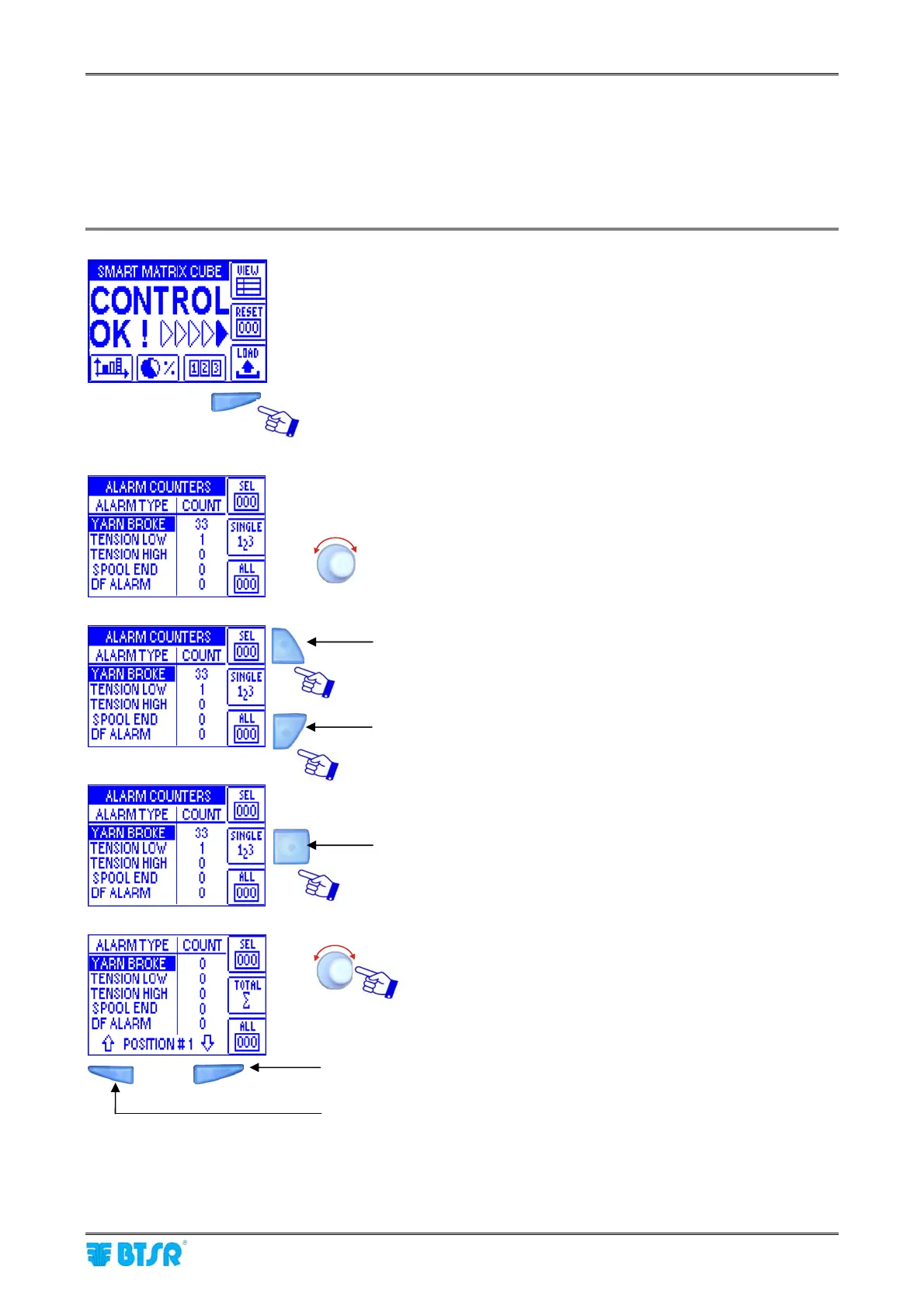
This function allows you to display the alarm counters.
For more details about the meaning of each alarm, please refer to Sections 3 and 4.
Press the indicated button to directly access the counters.
For each alarm type, the COUNT column will show the total
number of detected events on all devices.
To scroll throughout the alarm list.
Press this button to clear the counters of the selected alarms.
Press this button to clear all alarm counters.
Press this button to toggle between global alarm display and
individual position alarm display.
To select the desired position.
To scroll-down the alarm list (Ø)
To scroll-up the alarm list (×)











 To Next Page