Choice of Visualization Mode
MATRIX CUBE - 70 -
Choice of Visualization Mode
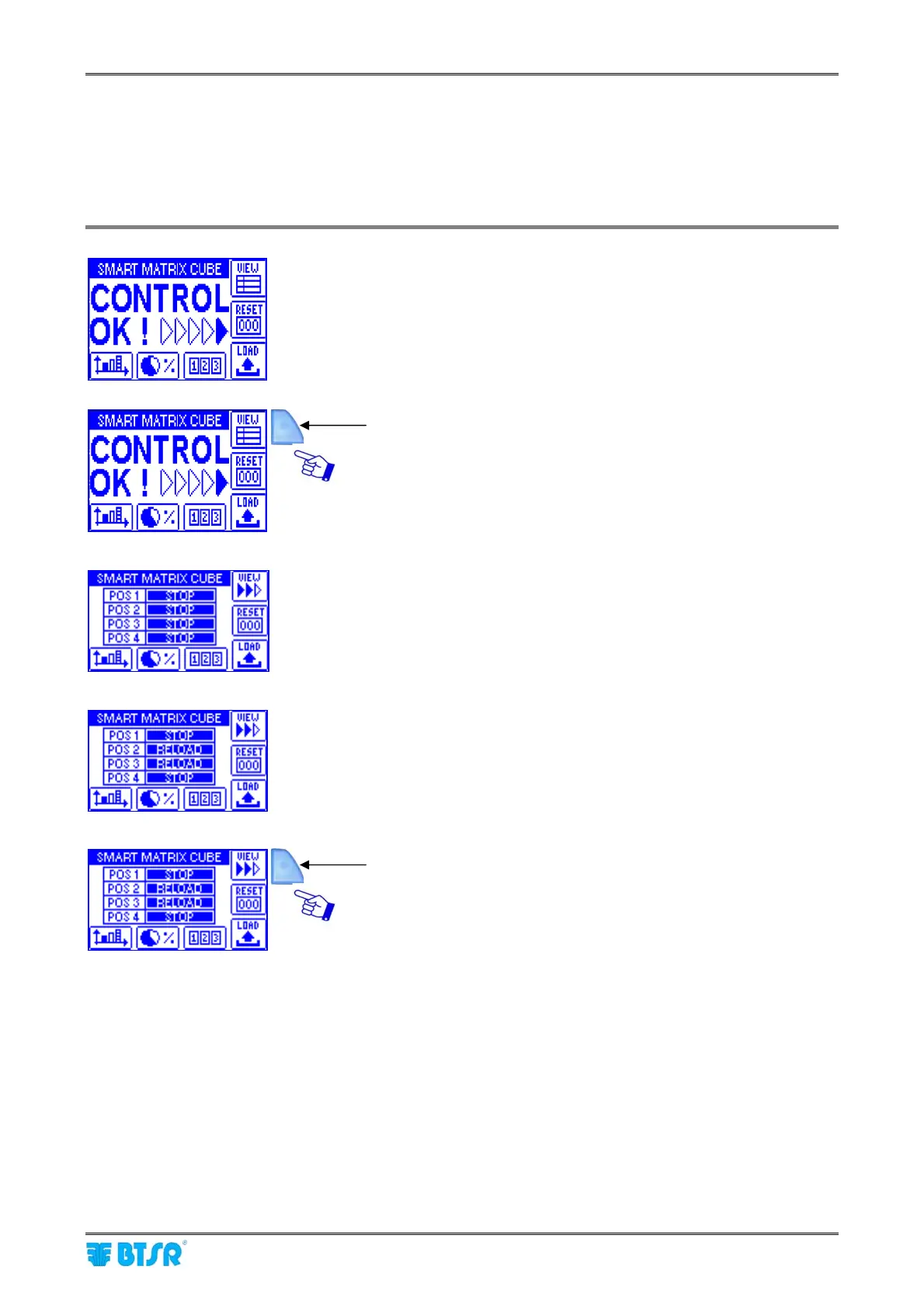
This function allows you to choose the type of information to be shown on SMART MATRIX CUBE terminal
display during the machine operation [“General Control” screen or “Status of Creel Positions” screen].
The choice can be done pressing the VIEW button that shows two different symbols, depending on the
current visualization mode.
General Control screen.
Press this button to activate the “Status of Creel Positions”
screen.
Example 1
Positions 1 .. 4 stopped
Example 2
Positions 1 and 4 stopped
Positions 2 and 3 requesting a yarn spool reload
To return to General Control screen.











 To Next Page