FIELD BUS enabling/disabling
MATRIX CUBE - 45 -
FIELD BUS enabling/disabling
This option shall be enabled only in case of board SMDIN/DUOLOOP integrated with applications
based upon profibus.
For application based on MATRIX CUBE creel, it shall be disabled.
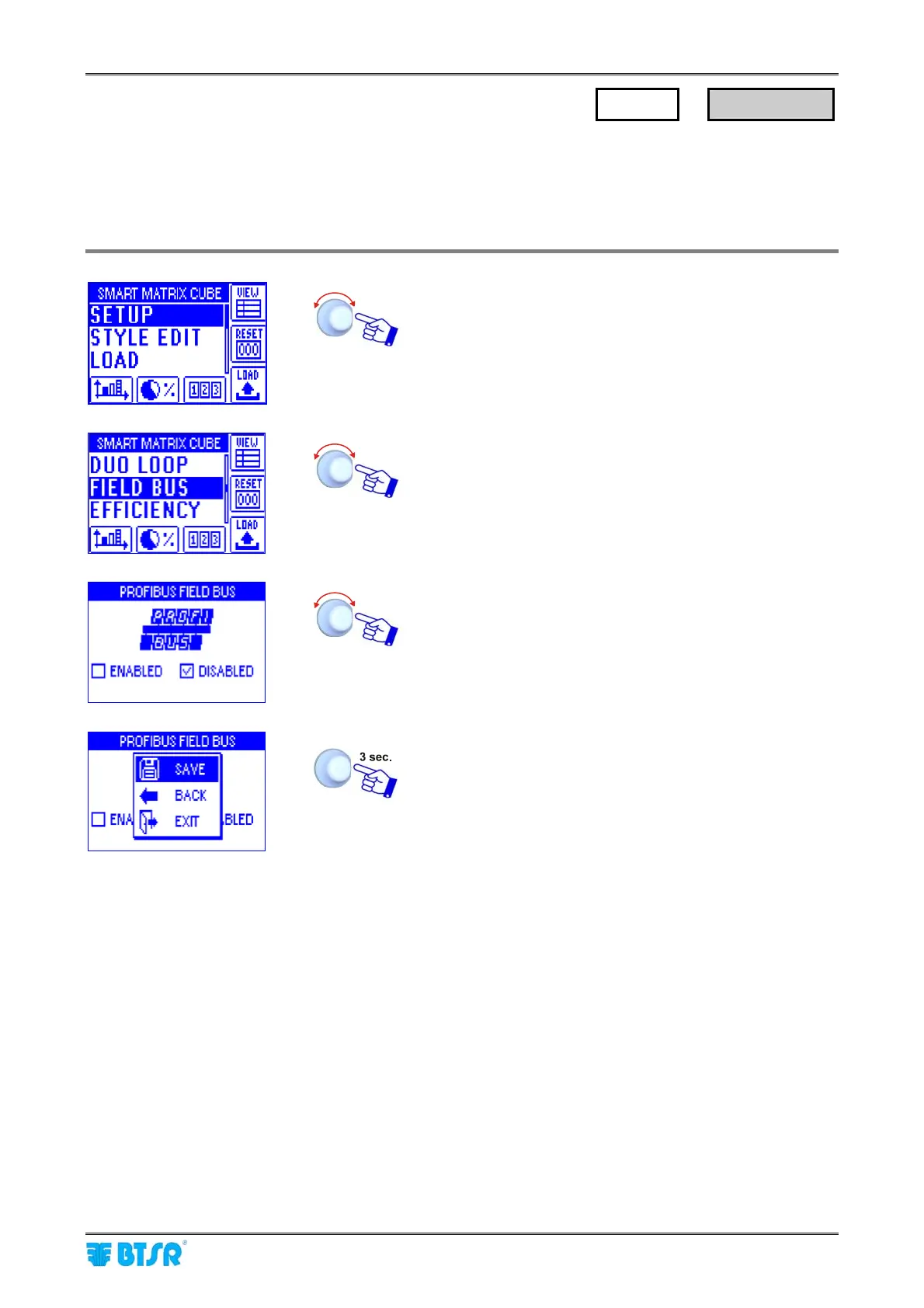
Enter the SETUP menu.
Select FIELD BUS.
Select ENABLED (function enabled) or DISABLED
(function disabled).
SAVE to save the configuration,
BACK to return to the previous screen without saving,
EXIT to return to menu.
SETUP
→
FIELD BUS











 To Next Page