DIAPER FEEDER upgrade
MATRIX CUBE - 55 -
DIAPER FEEDER upgrade
This function allows you to carry out two specific activities:
1. To update the firmware on DIAPER FEEDER devices connected to the SMDIN DUOLOOP Board
running the PC LINK application on PC
2. To perform a detailed system monitoring running the PC LINK DUOLOOP application on PC
Prior to carry out the above activities you must: connect the PC to the SMART MATRIX CUBE terminal (by
means of the CV232/485/9 connector).
In this way you will create a transparent channel through the Board, which will be used to transfer the
firmware to the selected DIAPER FEEDER devices and/or to perform the system monitoring.
For more information, please contact your local dealer or the BTSR Service Department
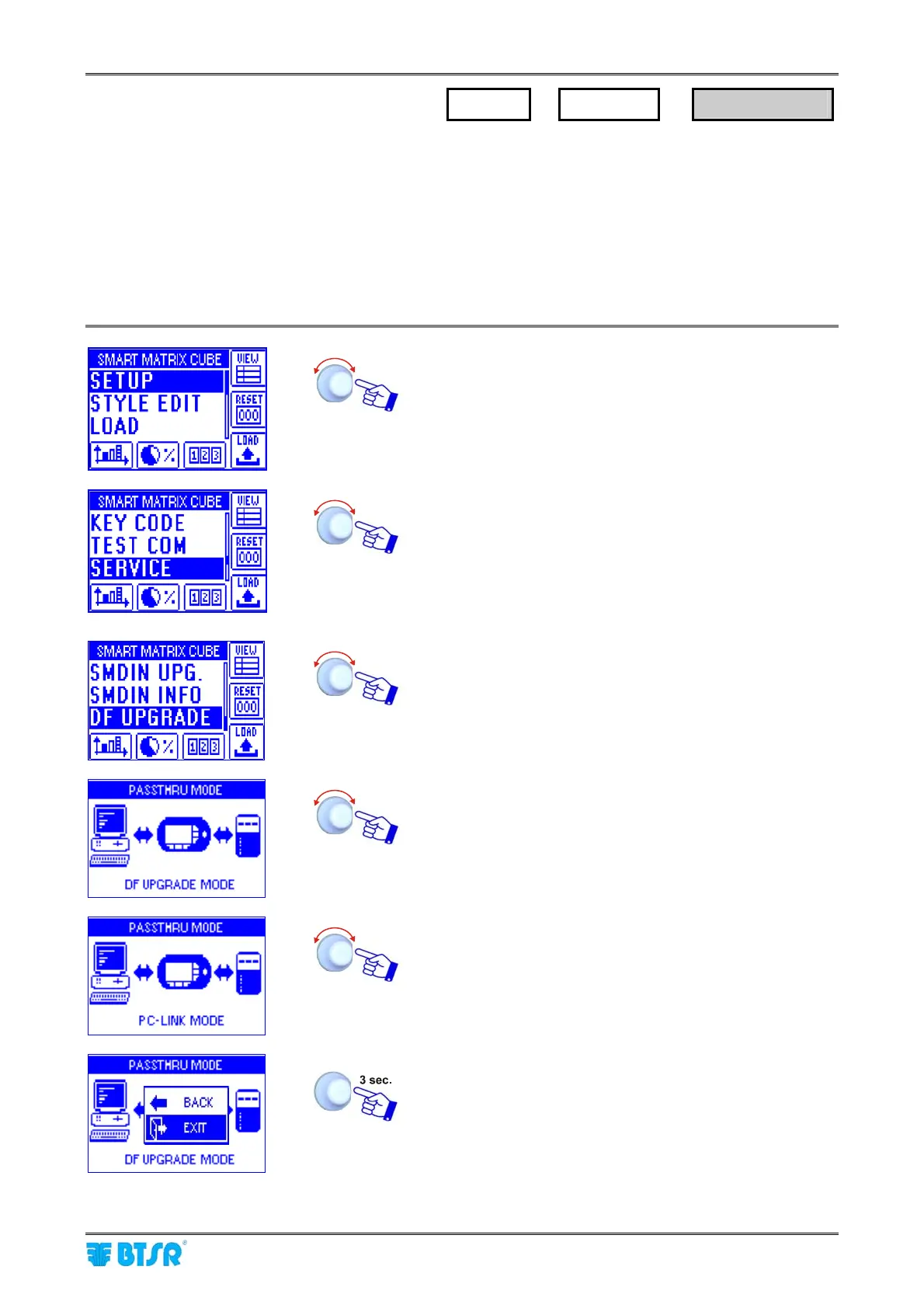
Enter the SETUP menu.
Select SERVICE.
Select DF UPGRADE. This function allows you to upgrade
the firmware on the DIAPER FEEDER devices directly via
PC
To carry out the upgrading, follow the instructions provided
by PC-LINK program.
Selecting the PC LINK MODE option you may perform a
detailed monitoring of the MATRIX CUBE system running
the PC LINK DUOLOOP application on PC which
supersedes the SMART MATRIX terminal. This allows you
to carry out diagnostic functions and to display detailed
graphics even through relatively long times.
EXIT to go back to SERVICE menu.
SETUP
→
SERVICE
→
DF UPGRADE











 To Next Page