BUS NODE function
MATRIX CUBE - 40 -
BUS NODE function
This function allows you to set an identification code to the SMART MATRIX CUBE terminal. For applications
with MATRIX CUBE creel, always select the identification code 1. In case of SMDIN/DUOLOOP integration
within the profibus environment, on the contrary set the number corresponding to the profibus node address.
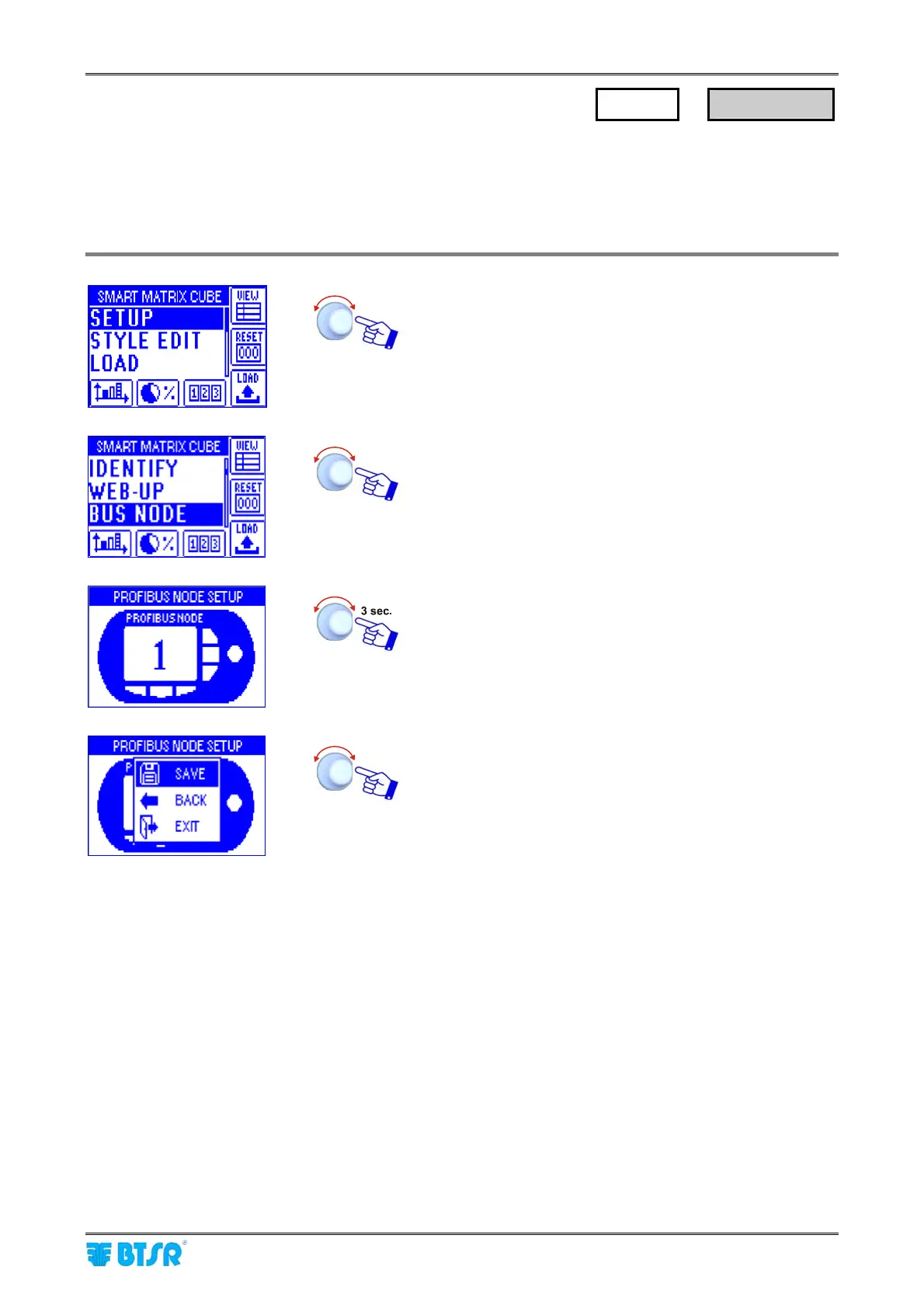
Enter the SETUP menu.
Select BUS NODE.
Configure either the SMART MATRIX identification code
(1) or set the number corresponding to the profibus
address and activate the save function.
SAVE to save the choice,
BACK to return to the previous screen without saving,
EXIT to return to menu.
SETUP
→
BUS NODE











 To Next Page