Graphics Display
MATRIX CUBE - 67 -
Graphics Display
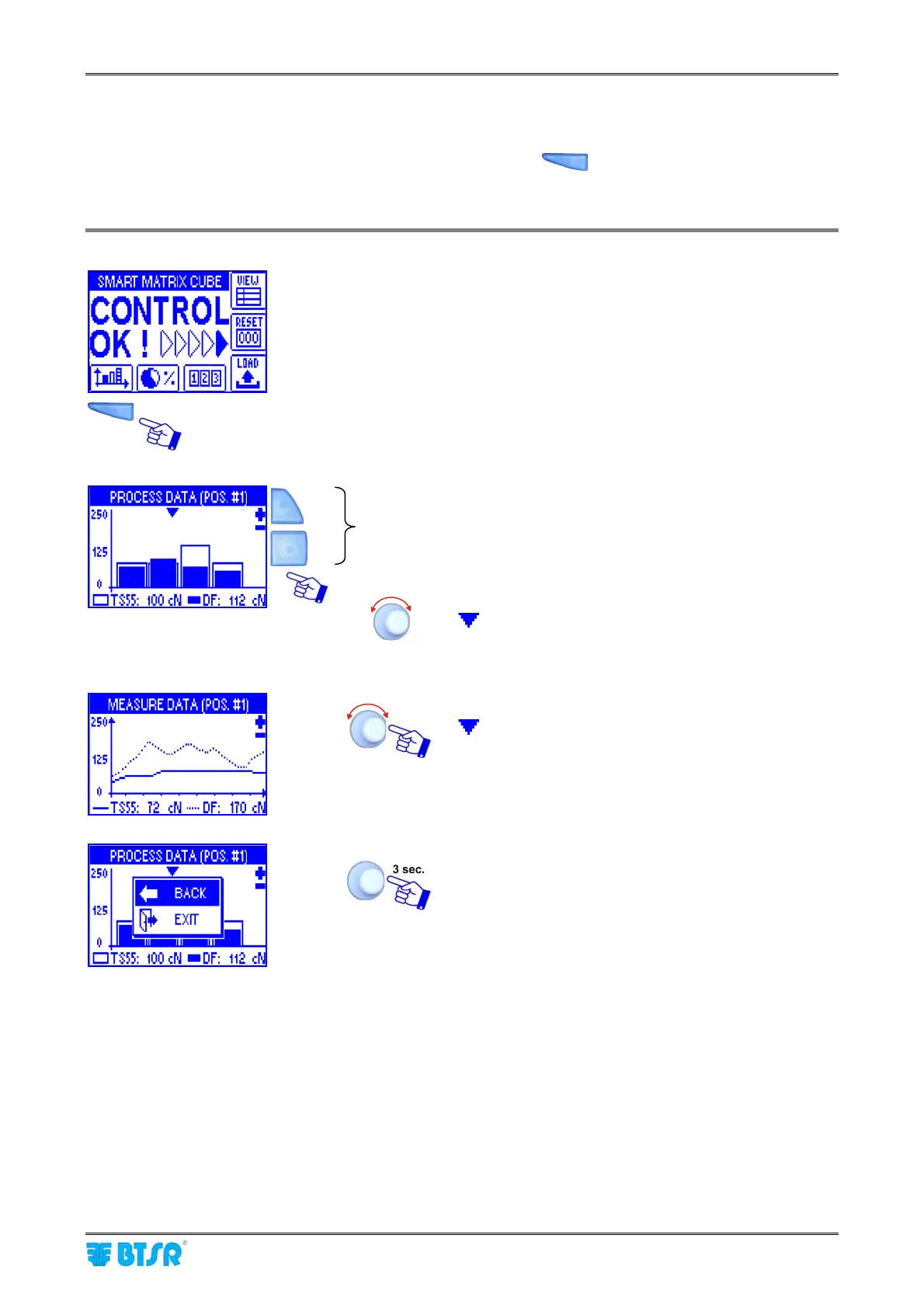
This function, which can be activated pressing the shortcut button
, allows you to display a histogram
which represents in real time the working tension of TS55 sensors on-board of machine and of DIAPER
FEEDER devices on elastic yarn feeding creel:
Press the graphics direct access button.
These buttons allow you to change the vertical axis
scale.
Turning the rotary selector you may move the pointer
(
) to the desired position; the bottom row shows
the tension values of TS55 sensor (light histogram)
and of DIAPER FEEDER device (dark histogram)
related to the selected position.
Clicking on the histogram indicated by the pointer
(
) you may see the real time curve of TS55 tension
(continuous line) and of DIAPER FEEDER device
(dotted line).
To quit the graphics display function.











 To Next Page