CUBE TYPE function
MATRIX CUBE - 41 -
CUBE TYPE Function
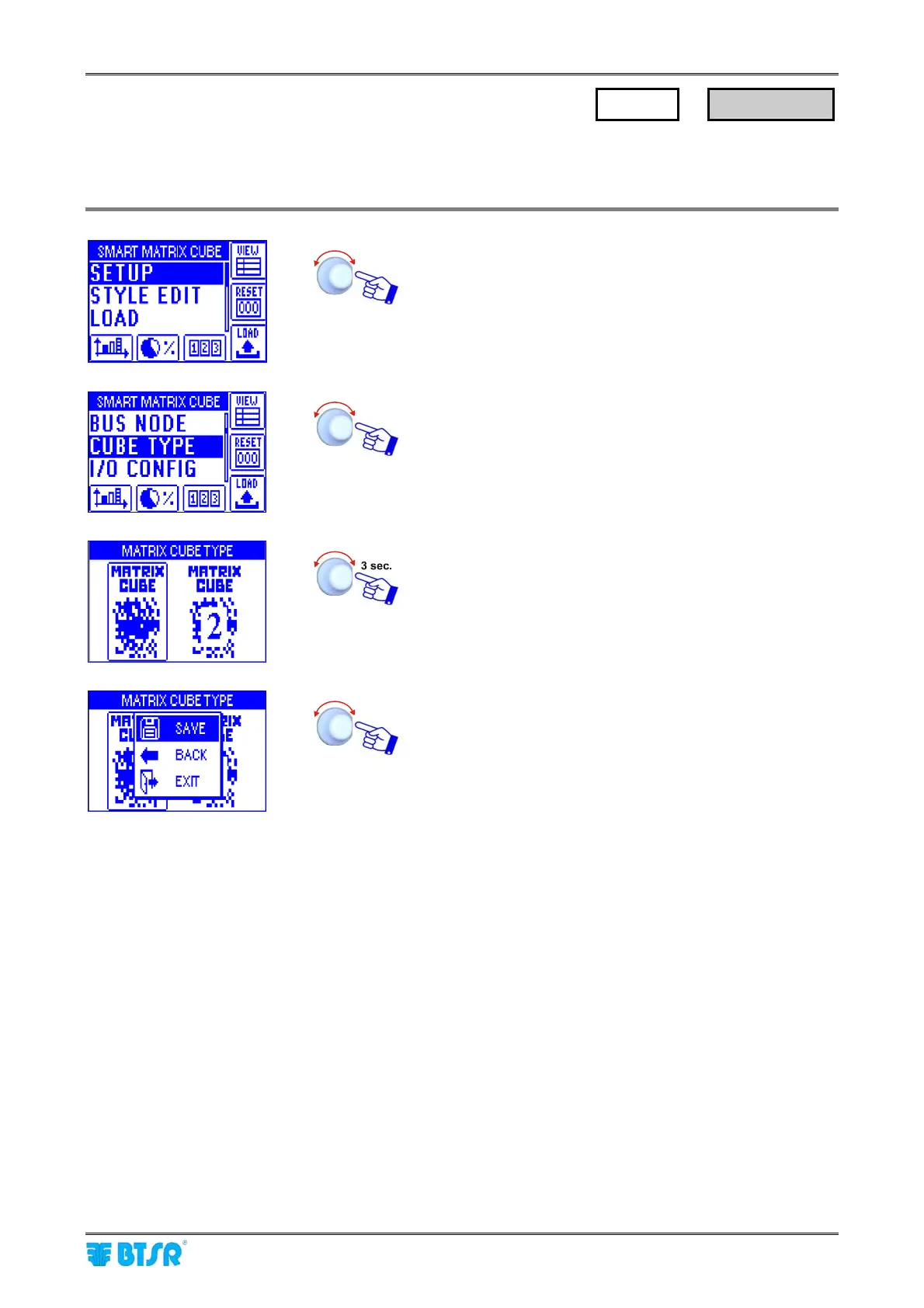
This function allows you to select the used creel type: either MATRIX CUBE or MATRIX CUBE 2. According
to the selected type the STYLE EDIT menu will be slightly different.
Enter the SETUP menu.
Select CUBE TYPE.
Select the creel type the SMART MATRIX CUBE system is
connected to. In this example: MATRIX CUBE .
SAVE to save the setting,
BACK to return to the previous screen without saving,
EXIT to return to menu.
SETUP
→
CUBE TYPE











 To Next Page