Efficiency Calculation Mode
MATRIX CUBE - 46 -
Efficiency Calculation Mode
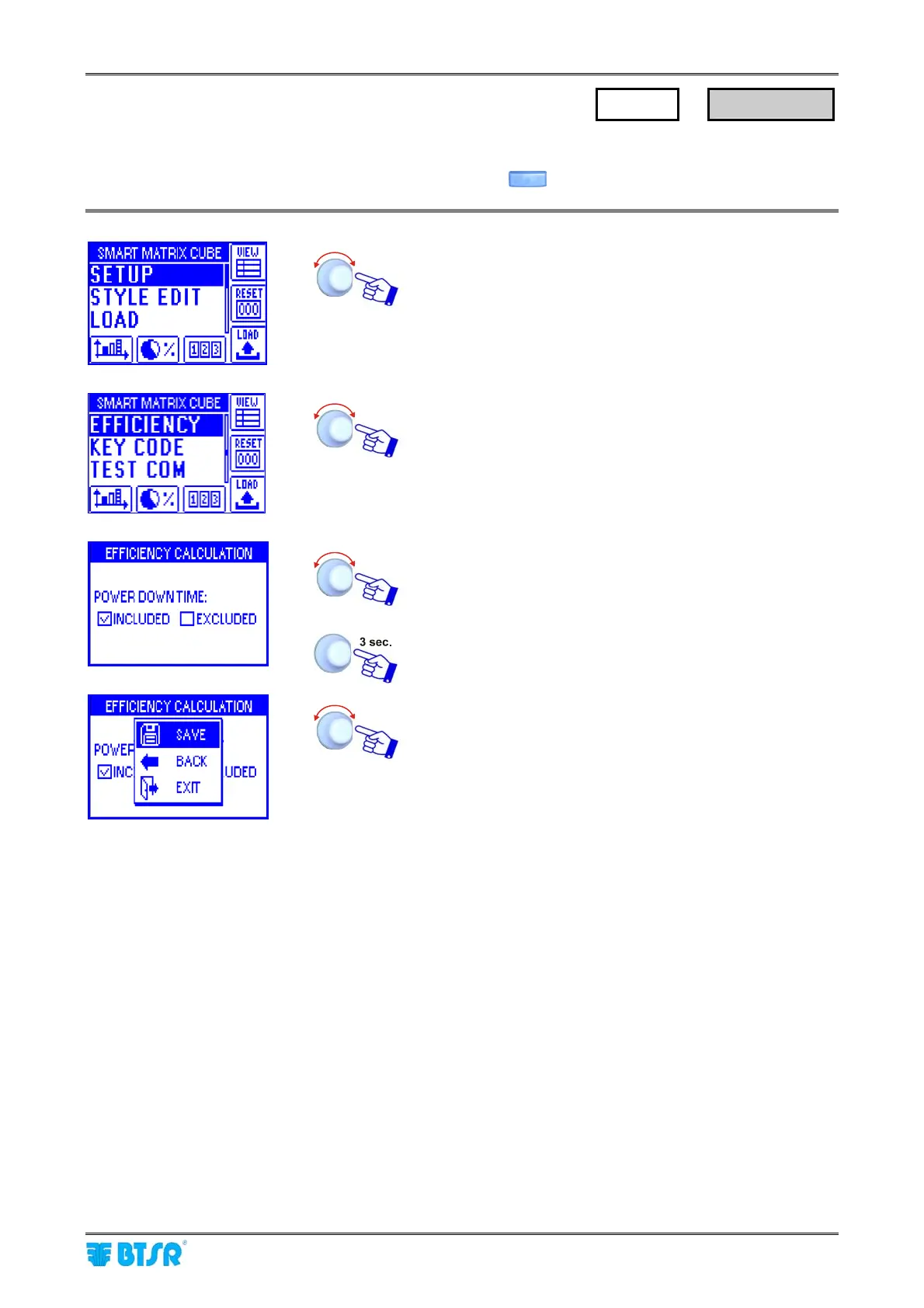
This function allows you to choose whether the POWER-DOWN TIMES shall be included or excluded in the
calculation of efficiency index that will be shown pressing the button.
Enter the SETUP menu.
Select EFFICIENCY.
Choose either INCLUDED (power down times included in
the calculation) or EXCLUDED.
To activate the save function.
SAVE to save the choice,
BACK to return to the previous screen without saving,
EXIT to return to menu.
SETUP
→
EFFICIENCY











 To Next Page