Communication Test
MATRIX CUBE - 49 -
Communication Test
This function allows you to check:
- The efficiency level of communications between SMART MATRIX CUBE terminal and the various
components connected via serial line:
- SM-DIN/DUOLOOP Board
- TS55 Sensors
- DIAPER FEEDER Devices
- The correct communication with the individual devices.
Communication Efficiency
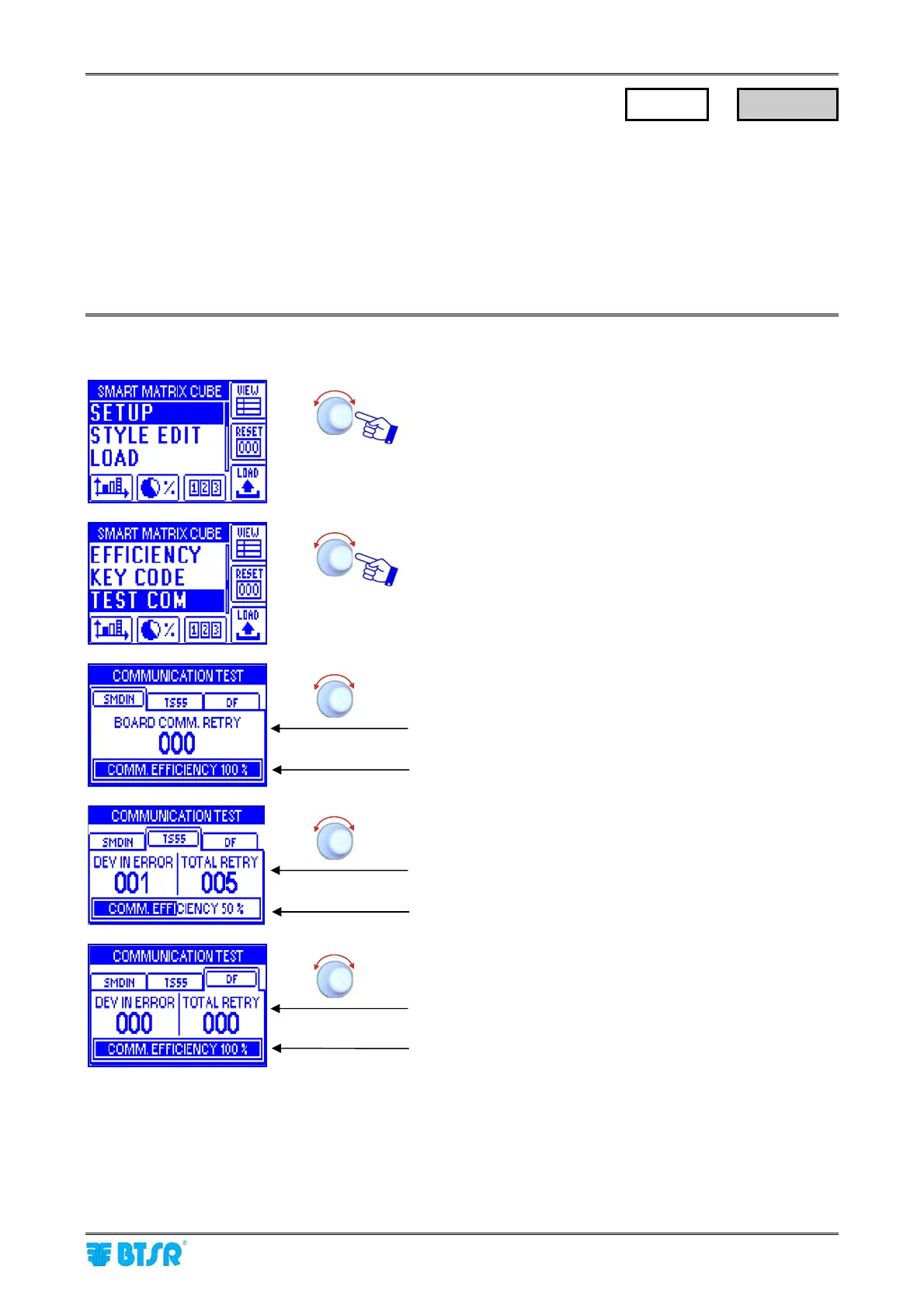
Enter the SETUP menu.
Select TEST COM.
Select SMDIN.
Number of test retries failed between SMART MATRIX
CUBE and SM-DIN Board (000).
Efficiency index during the communication between
SMART MATRIX CUBE and SM-DIN (100%).
Select TS55.
Number of TS55 sensors in error (001) and number of test
retries failed between SMART MATRIX CUBE and TS55
sensors (005).
Efficiency index during the communication between
SMART MATRIX CUBE and TS55 sensors (50%).
Select DF.
Number of DIAPER FEEDER devices in error (000) and
number of test retries failed between SMART MATRIX
CUBE and DIAPER FEEDER devices (000).
Efficiency index during the communication between
SMART MATRIX CUBE and DIAPER FEEDER devices
(100%).
During the communication efficiency test, the COM-PC LED shall blink on the SM-DIN/DUOLOOP.
SETUP
→
TEST COM











 To Next Page