Checking the I/O Signals of SMART MATRIX CUBE Terminal
MATRIX CUBE - 52 -
Checking the I/O Signals of SMART MATRIX CUBE Terminal
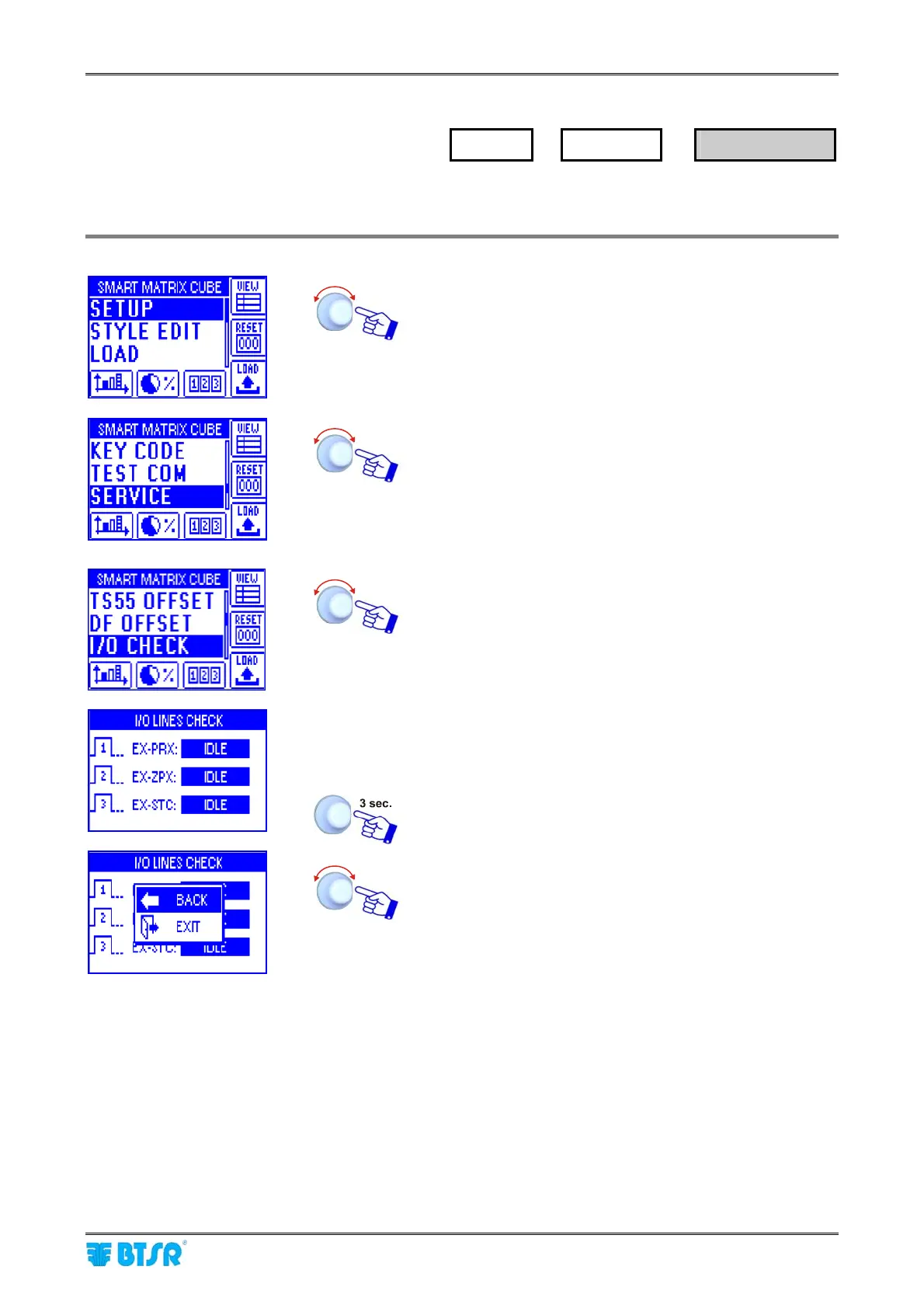
This function allow you to check the status of SMART MATRIX CUBE external interface signals (PRX, ZPX,
STC).
Enter the SETUP menu.
Select SERVICE.
Select I/O CHECK
This screen shows the status of each external interface
signal (IDLE, ACTIVE, etc.)
To quit the function.
EXIT to resume the SERVICE menu.
SETUP
→
SERVICE
→
I/O CHECK











 To Next Page