Installation and Connections
MATRIX CUBE - 14 -
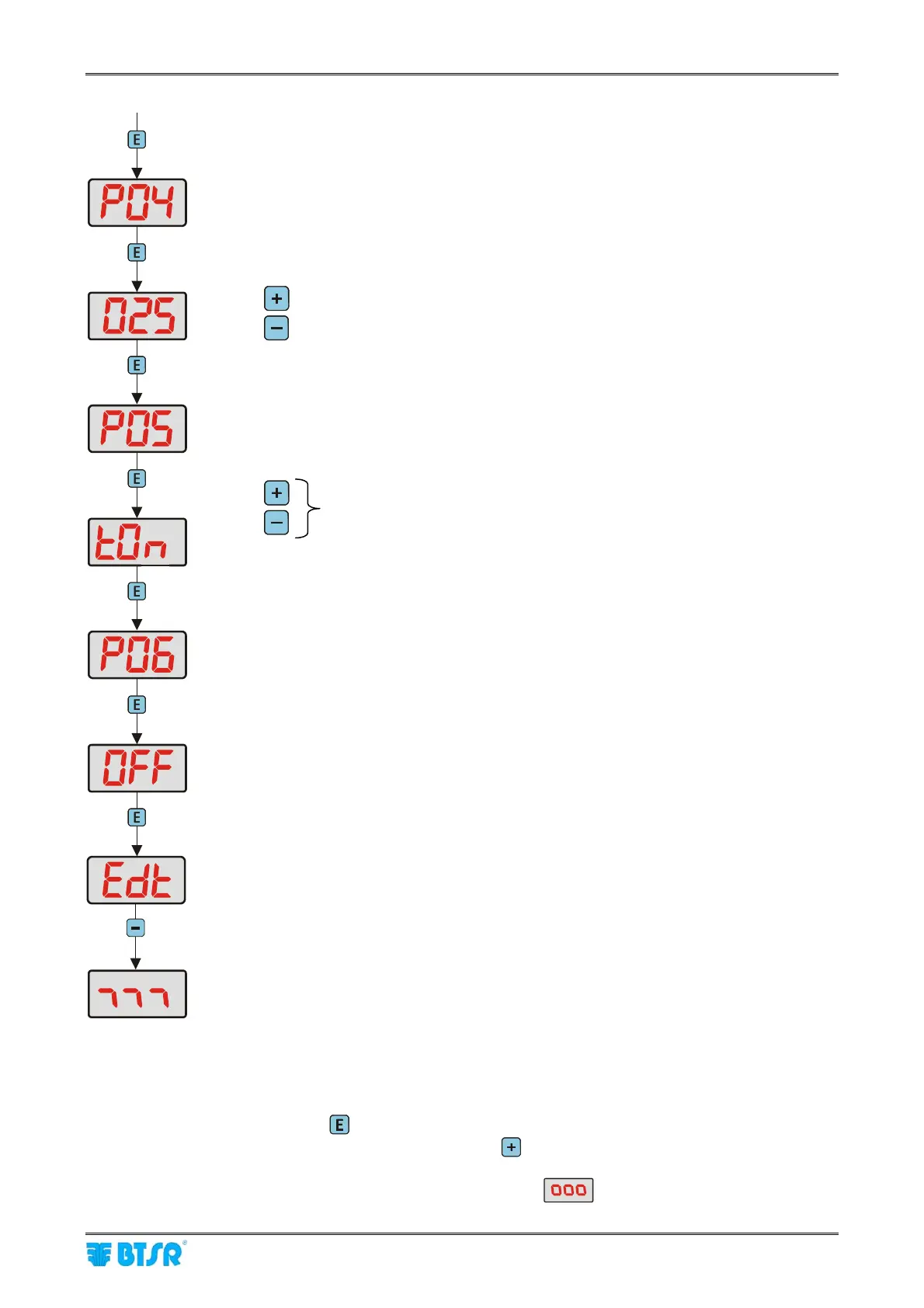
Parameter P04 (exclusion tension – with machine stopped)
Possible values 012 ~ 150 cN or AuT (Default 025 cN)
(see note 1).
To increase the value
To decrease the value (after the value 012 the Aut option appears)
Parameter P05 (tension control on TS55 sensors)
Possible values t0n t0F and AuT (Default tOF)
TOn = Tension control activated by the Start/Stop signals
TOF = Tension control disabled
Aut = automatic activation/deactivation depending on motors status
(control deactivated when all DIAPER FEEDER motors are stationary)
Parameter P06 (Offset on TS55 sensors)
Possibility of executing the offset operation on TS55 sensors directly from
SM-DIN/DUOLOOP
(see note 2).
End of programming sequence and return to “Run Time” status
“Run Time” status
Note 1: When selecting AuT, the system automatically sets the value of tension to keep on the yarn with
machine stationary, depending on the value “self-learnt” during the transition from “machine
running” status to “machine stopped” status (start/stop signal switching).
Note 2: To carry out the offset operation from SM-DIN/DUOLOOP, operate as follows:
1) Press and hold down
for 3 sec. while the display shows the scrolling word “OFFSET”.
2) When the YES word appears on display, press
after having removed the yarns from the
loading cells of TS55 sensors.
3) The display will show for a few instants the indication
, and then Edt will reappear.
continue
To select the desired option











 To Next Page