SMART MATRIX CUBE Operation
MATRIX CUBE - 32 -
Example
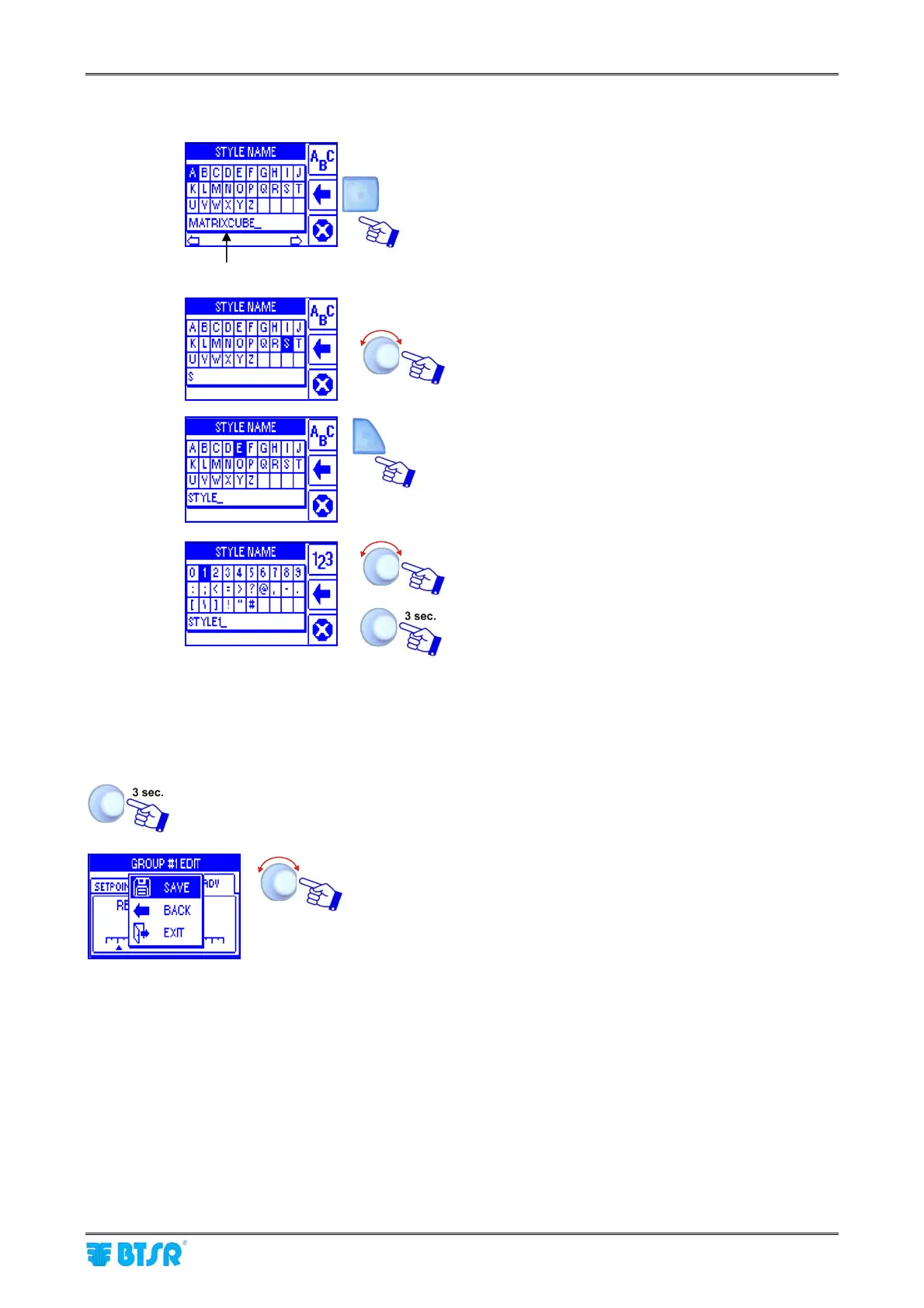
To enter the Style Name (e.g. STYLE1), operate as follows:
DEFAULT STYLE NAME
Press repeatedly the indicated button to clear the
Default Style Name.
Select, in sequence, the S, T, Y, L, E keys.
Press 2 times the indicated button to select the
numeric keypad.
Select 1.
Confirm the entered string
2.2.4 Parameter Saving
Once you have setup all the desired parameters, press and hold down for 3 seconds the
rotary selector.
SAVE to save the settings
BACK to return to previous screen without saving
EXIT to return to menu without saving











 To Next Page