Error Messages
MATRIX CUBE - 71 -
MATRIX CUBE Error Messages
During the normal operation, the SMART MATRIX CUBE terminal display will show CONTROL OK!.
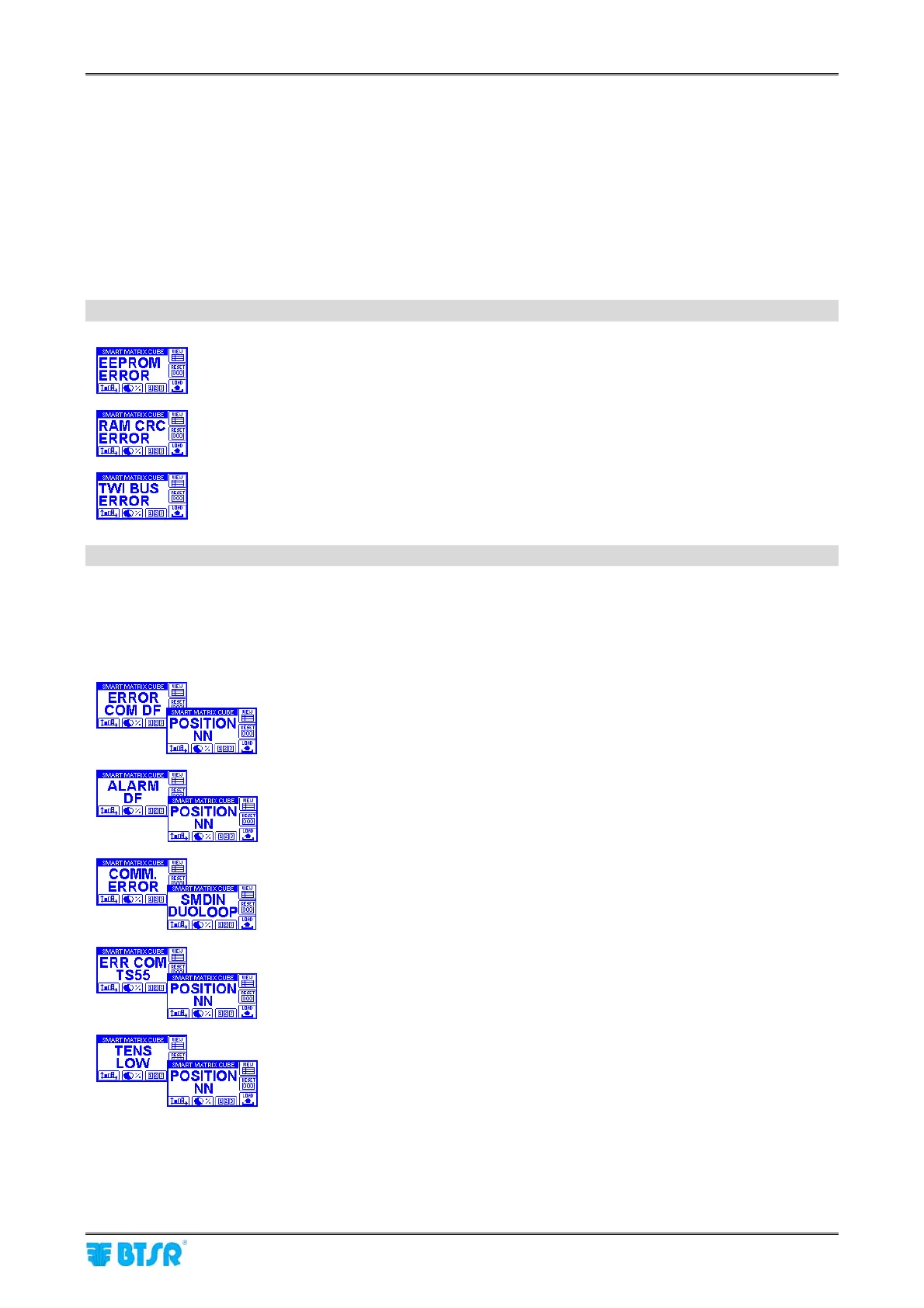
In case of errors or failure, the CONTROL OK! indication will be replaced by a message which summarizes
the type of error or failure.
More precisely, two error screens will be shown alternatively containing the error detail (e.g. ERROR COM
DF) and the position where the error occurred (e.g. POSITION 01).
When all the connected DIAPER FEEDER devices are stationary, the CONTROL OK! message is replaced
by CONTROL STOP ->.
The error and failure messages can be classified as follows:
Errors detected by the SMART MATRIX CUBE terminal power-on self-diagnostic
Error on SMART MATRIX CUBE terminal EEPROM data
Error on SMART MATRIX CUBE terminal RAM data
Error on SMART MATRIX CUBE terminal internal communication bus
Errors detected during the system operation
The errors detected during the MATRIX CUBE system operation are shown on SMART MATRIX CUBE
terminal display with 2 alternating screens (one indicating the type of error, the other indicating the relevant
position).
The following list describes the most common error messages.
Communication error between SM-DIN/DUOLOOP Board and DIAPER
FEEDER device in position NN.
Error on DIAPER FEEDER device in position NN.
Communication error between SMART MATRIX CUBE and
SM-DIN/DUOLOOP Board.
Communication error between SM-DIN/DUOLOOP Board and TS55 sensor in
position NN.
Tension error (lower than the minimum value allowed for the time set on the
style parameters) detected by sensor TS55 in position NN.











 To Next Page