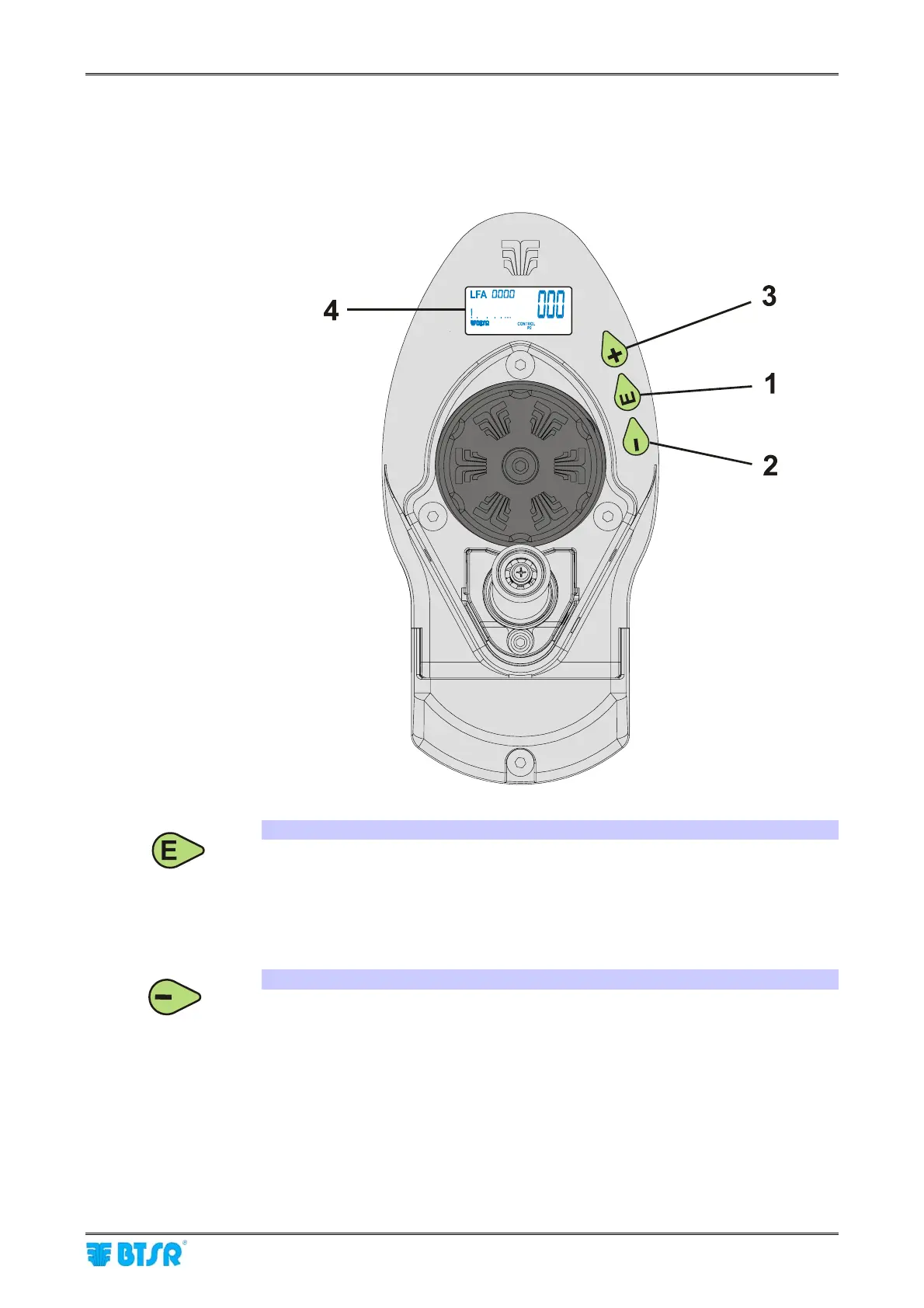
DIAPER FEEDER Device
MATRIX CUBE - 74 -
Operating Characteristics of DIAPER FEEDER Devices
For programming and control of DIAPER FEEDER devices, 3 push-buttons, with
green/red built-in LEDS and a LCD display are available to the operator.
1. E PUSH BUTTON (ENTER)
Press and hold down this push-button to gain access to the advanced device
programmable functions.
During the programming phase, press it to confirm the displayed parameter.
Pressing and holding down this push-button for about 3 seconds on particular
parameters, you will have the possibility to enable/disable the corresponding function.
2. – PUSH BUTTON (RESET)
Press this push-button to cancel possible error signaling on DIAPER FEEDER
display (red LED flashing). During the Programming phase, press it to decrease
the value of displayed parameter. During the Control stage, without an alarm
condition in progress, this button allows you to display the device internal
temperature.











 To Next Page