28
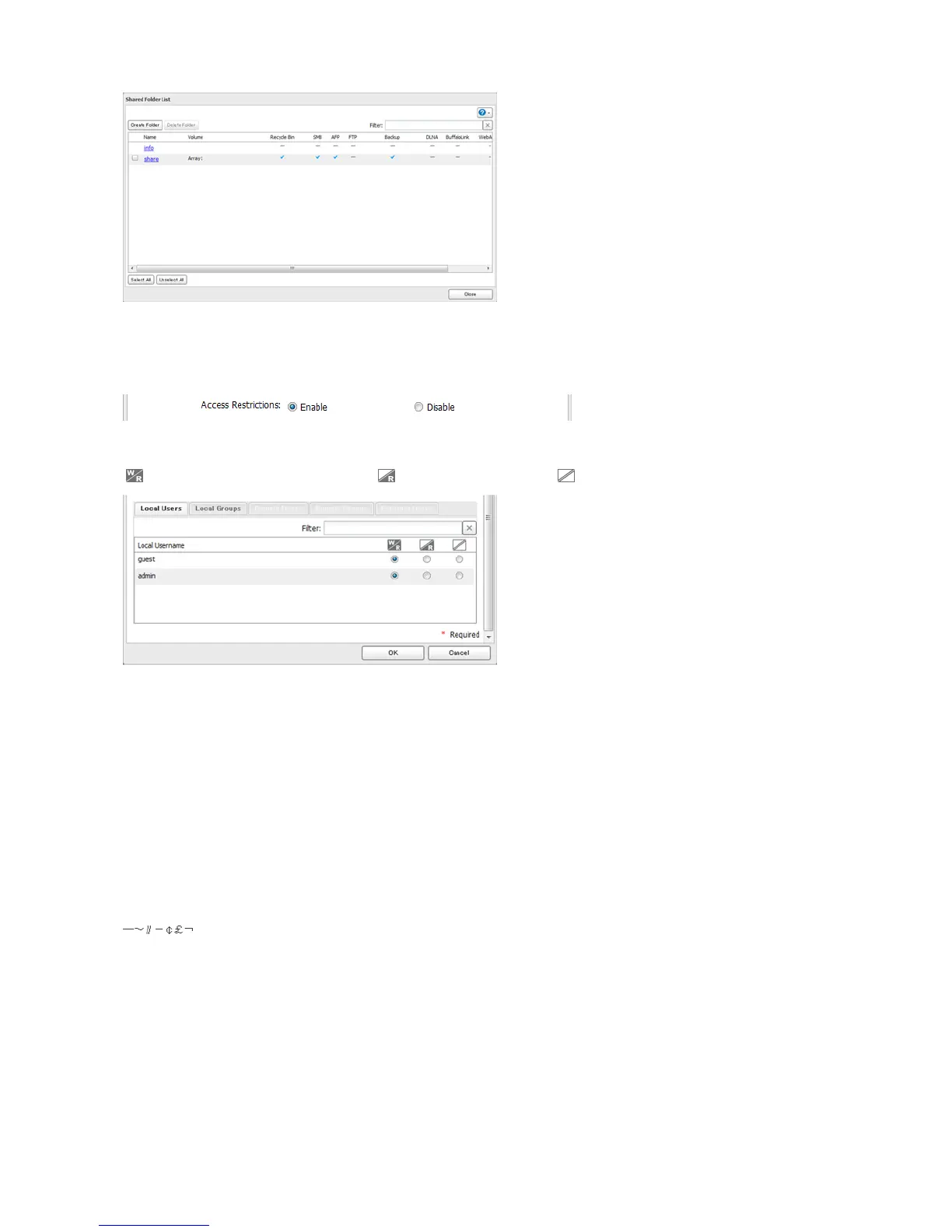
3 Click Edit.
4 Enable “Access Restrictions”.
5 Select the level of access for the user or group you added.
: Read and write access allowed : Read access allowed : Access prohibited
Notes:
• An example of access restrictions by local users is shown in the screen. To apply access restrictions by group, click
the Local Groups tab and select group permissions.
• If both read-only and read & write permissions are given to a user, the user will have read-only access.
6 Click OK.
Notes
• The following characters are handled differently by Mac OS and Windows. Avoid using these characters when
sharing data between Mac OS and Windows:
• Windows does not support some characters that Mac OS and the LinkStation allow. If you create a filename on a
Mac with any of the following characters, it will not display correctly on a Windows computer and you may have to
connect to the LinkStation via AFP in order to display or copy any of the following characters on a Mac computer.
? [ ] / \ = + < > ; : “ , | *
• Do not use any of the following words as a username or group name: root, bin, daemon, sys, adm, tty, disk, lp, sync,
shutdown, halt, operator, nobody, mail, news, uucp, ftp, kmem, utmp, shadow, users, nogroup, all, none, hdusers,
admin, guest, man, www, sshd, administrator, ftpuser, apache, mysql
• Do not use any of the following words as the name of a shared folder. These words are reserved for internal use by
the LinkStation: info, spool, lost+found, global, printers, homes, lp, authtest, ram, msdfs_root, mt-daapd, usbdisk#















 To Next Page