7
Chapter 1 Installation
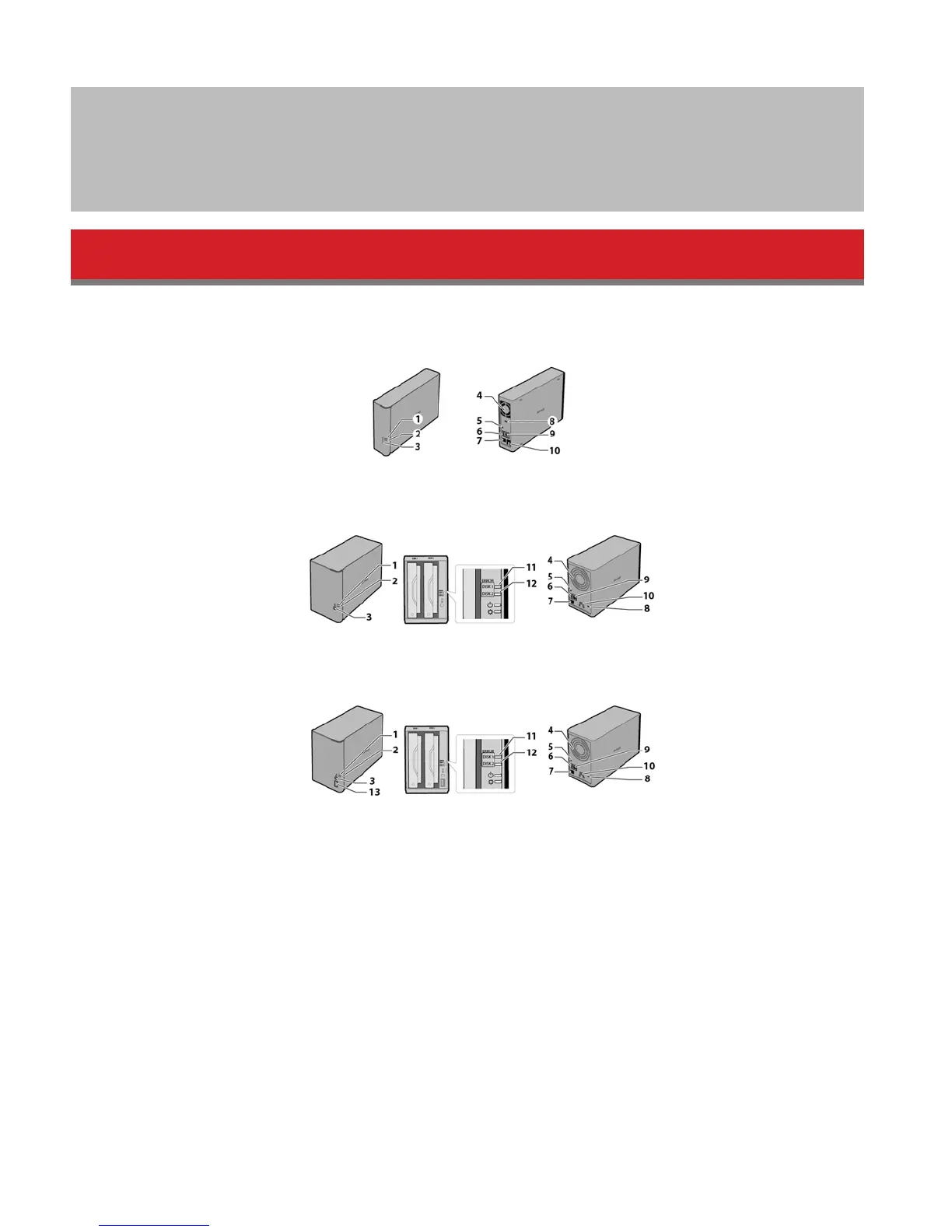
Diagrams
LS410D
LS420D
LS421DE
1 Power LED
The white power LED is lit while the LinkStation is on.
The white power LED blinks while booting or shutting down.
The red power LED blinks when an error occurs.
If there is a status message, the power LED glows amber.
If there is a new firmware available, the power LED blinks amber.
2 Function LED
This LED glows while the LinkStation is being initializing and while dismounting USB devices.
3 Function Button
Use this button for Direct Copy, dismounting USB devices, and initializing settings.
4 Fan
Do not block the fan.















 To Next Page