76
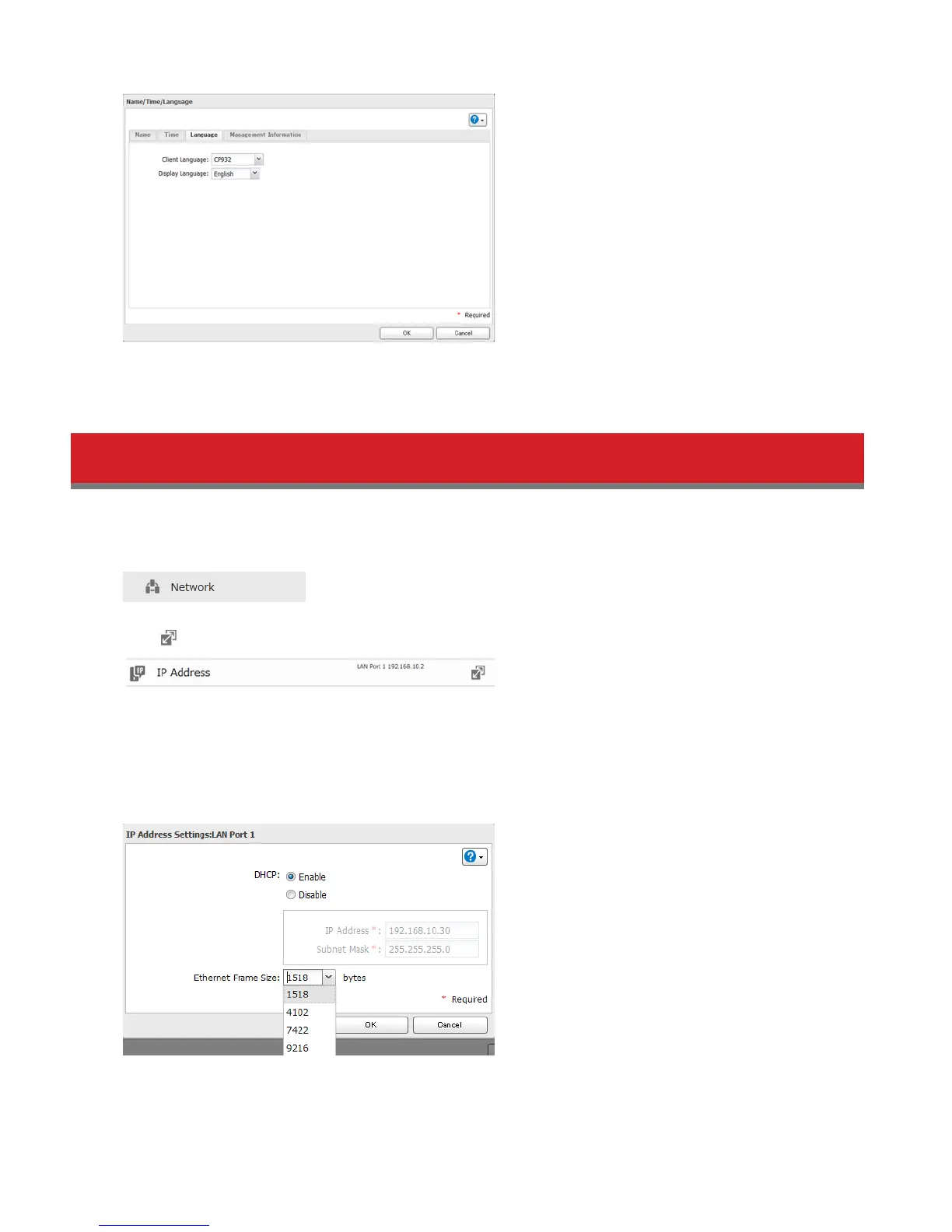
Note: This tab changes the language used by the LinkStation for email notification, DLNA, and other functions. To
change the language displayed in Settings, go to Advanced Stetings or Easy Admin and click Language in the menu
bar. Choose your desired language from the drop-down menu.
Jumbo Frames
If your other network devices support it, you may be able to increase network performance with jumbo frames.
1 In Advanced Settings, click Network.
2 Click to the right of “IP Address”.
3 Click the LAN port where the jumbo frames will be used.
4 Click Edit.
5 Select “Ethernet Frame Size”, then click OK.















 To Next Page