38
6 Click OK.
7 Choose the array to configure.
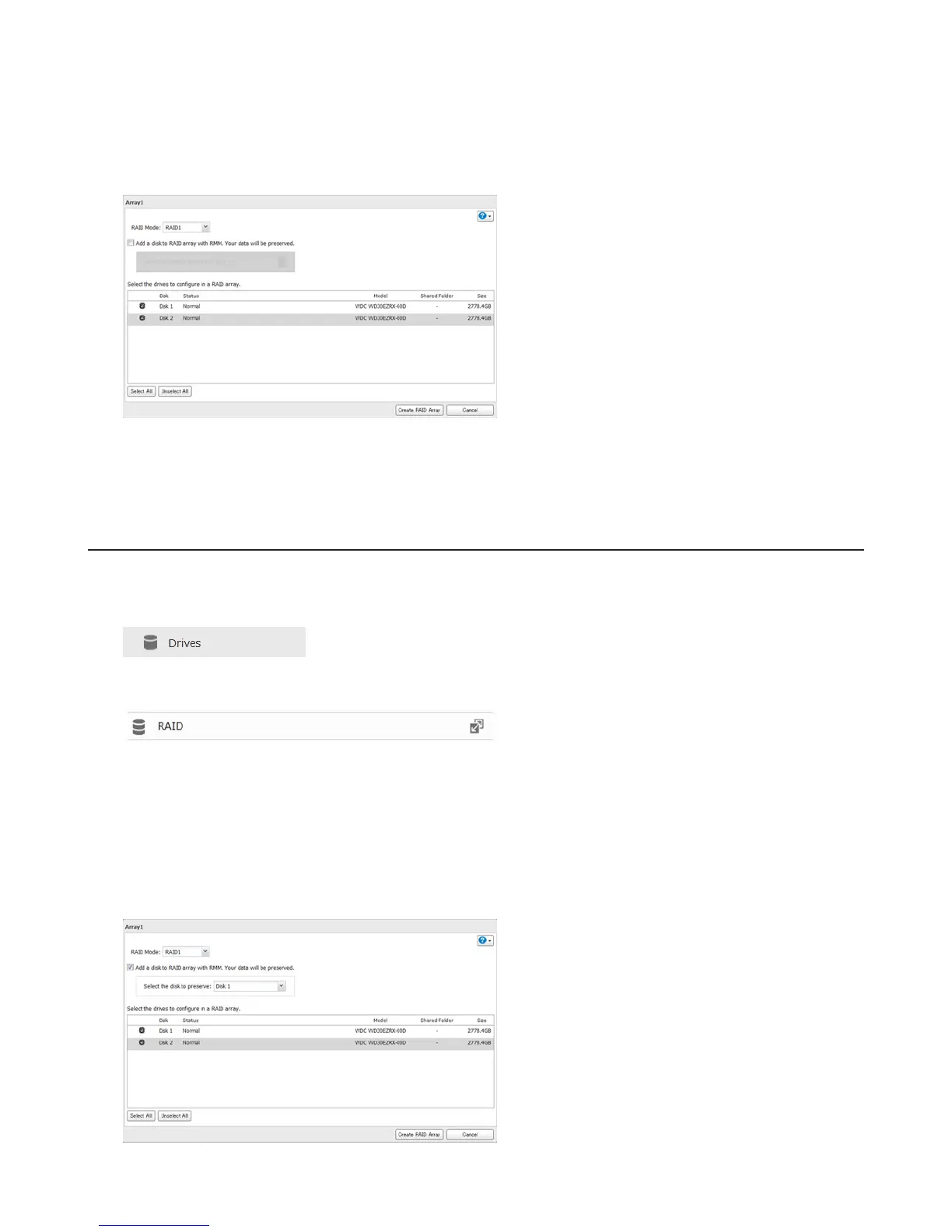
8 Select a RAID mode and the drives to be used, then click Create RAID Array.
9 Step through the wizard to create the array.
Note: After changing the RAID mode, create a shared folder.
RMM (RAID Mode Manager)
With RMM, you can create or expand a RAID array without erasing the data on the drives.
1 In Advanced Settings, click Drives.
2 Select RAID.
3 Choose a RAID array.
4 Check “Add a disk to RAID array with RMM. Your data will be preserved.”.
5 Select the drive whose data will be saved from the drop-down menu.
6 Check the drive to add to the RAID array.















 To Next Page