80
Exit Exits NAS Navigator2.
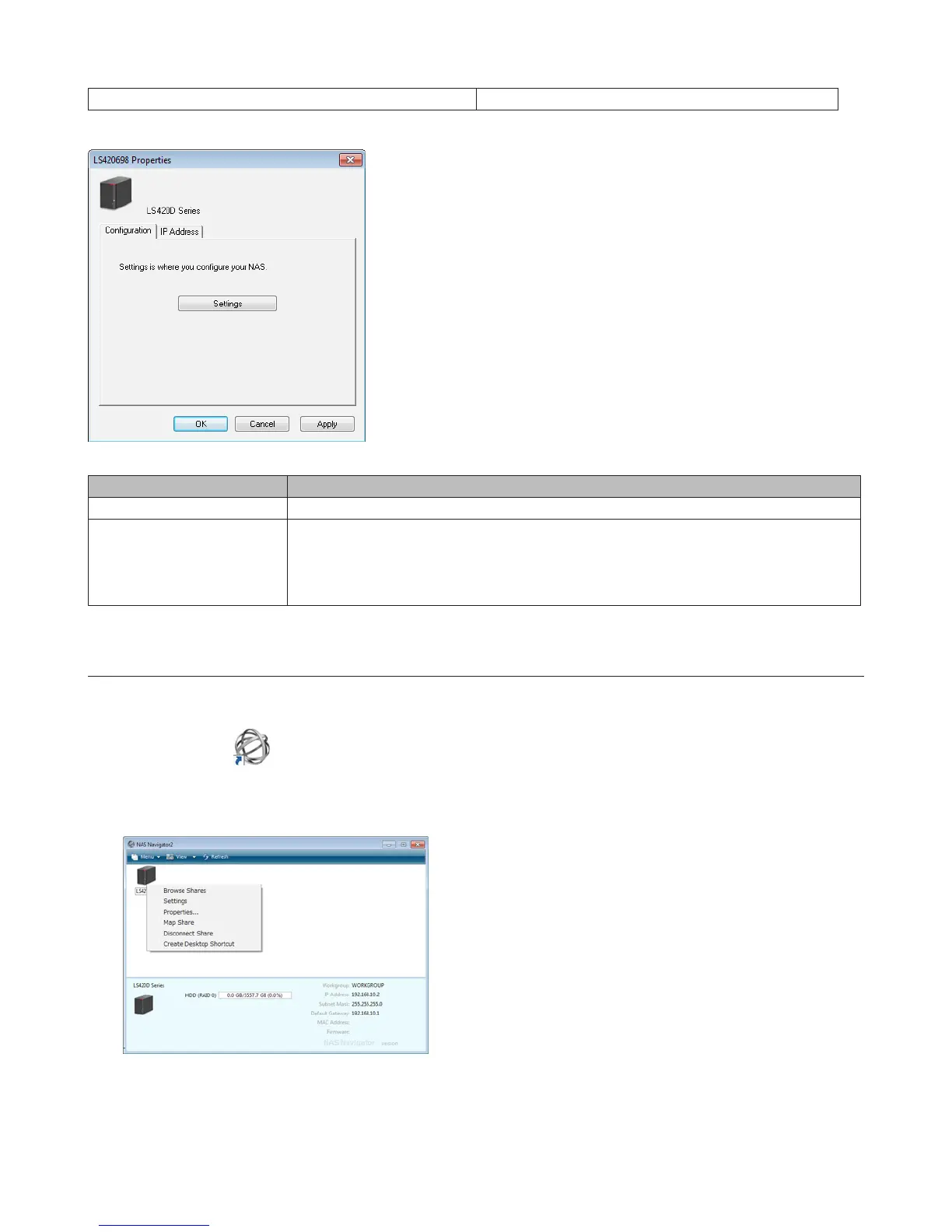
The following tasks may be performed from the LinkStation’s properties page.
Name Description
Configuration Click Settings to open the configuration interface.
IP Address
Check Use DHCP to assign an IP address from the DHCP server automatically. If there is
no DHCP server in the network, you cannot use this function.
Check Renew IP address to obtain an IP address from the DHCP server.
You can manually enter an IP address, subnet mask, and default gateway.
Mount as Network Drive
You can easily map a shared folder as a network drive using NAS Navigator2.
1 Double-click the icon on the desktop.
NAS Navigator2 will start.
2 Right-click on the LinkStation’s icon, then click Map Share.
Note: The following shared folders can be mounted as network drives from NAS Navigator2: share, share2, share3,
share4, usbdisk1, usbdisk2, usbdisk3, usbdisk4, usbdisk5
3 An icon for the mapped share will appear in Computer or My Computer. You can use this network drive just like















 To Next Page