43
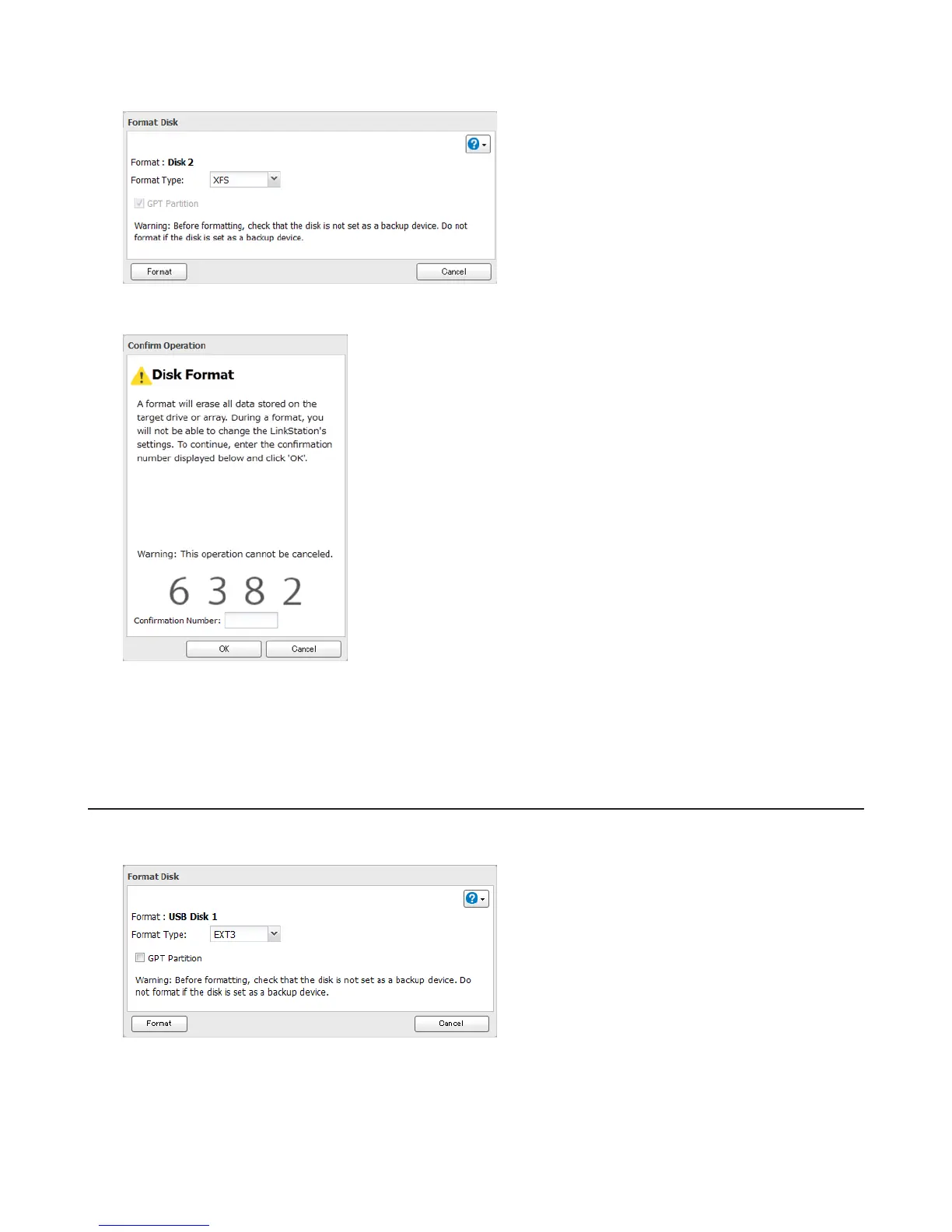
4 Select a format type, then click Format.
5 The “Confirm Operation” screen will open. Enter the displayed number, then click OK.
6 Depending on the size of your drive, the format may take several minutes to several hours to complete. The
power LED will flash during the format. Shared folders cannot be accessed during a format. Do not turn off the
LinkStation until the disk format is finished.
Formatting External Drives
Formatted drives are detected automatically. If a drive is not formatted, format it from Settings. Refer to “Formatting
Drives” for the procedure.
Notes:
• Do not turn off or disconnect power to the LinkStation while formatting a hard drive.
• For drives of 2.2 TB or larger, make sure that the “GPT Partition” checkbox is selected. If you accidently format a
larger drive without GPT, disconnect and then reconnect it before reformatting with GPT.















 To Next Page