79
Name Description
Menu
Map Share
*
Assigns the LinkStation’s shared folder as a network drive.
Disconnect Share
*
Unmaps the network drive.
Map All Remote Shares to Drive
Letters
Assigns all the LinkStation’s shared folders as network
drives.
Create Desktop Shortcut
*
Creates a shortcut to the LinkStation’s shared folder
(share).
Launch NAS Navigator2 on
Startup
Launches NAS Navigator2 in the system tray when
Windows boots.
Display Errors
If an error occurs, an error message will pop up from the
NAS Navigator2 icon in the system tray.
Properties
*
Opens the selected LinkStation’s properties page.
Close Closes NAS Navigator2.
View
Icons: Displays icons.
Details: Displays hostname, product name, workgroup, IP
address, subnet mask, and default gateway.
Sort by
Selects the sort order from following to display when
multiple LinkStations and TeraStations are found:
Hostname, product name, workgroup, IP address, subnet
mask, and default gateway.
Browse
*
Opens the LinkStation’s shared folder.
Refresh Searches for NAS devices on the network again.
Displays when you
right-click a device’s
icon.
Browse Shares Opens the LinkStation’s shared folder.
Settings Opens Settings for the selected LinkStation.
Properties Opens the LinkStation’s properties page.
Map Share Assigns the LinkStation’s shared folder as a network drive.
Disconnect Share Unmaps the network drive.
Create Shortcut
Creates a shortcut icon to the shared folder “share” on the
desktop.
*Click on the LinkStation’s icon to display these options.
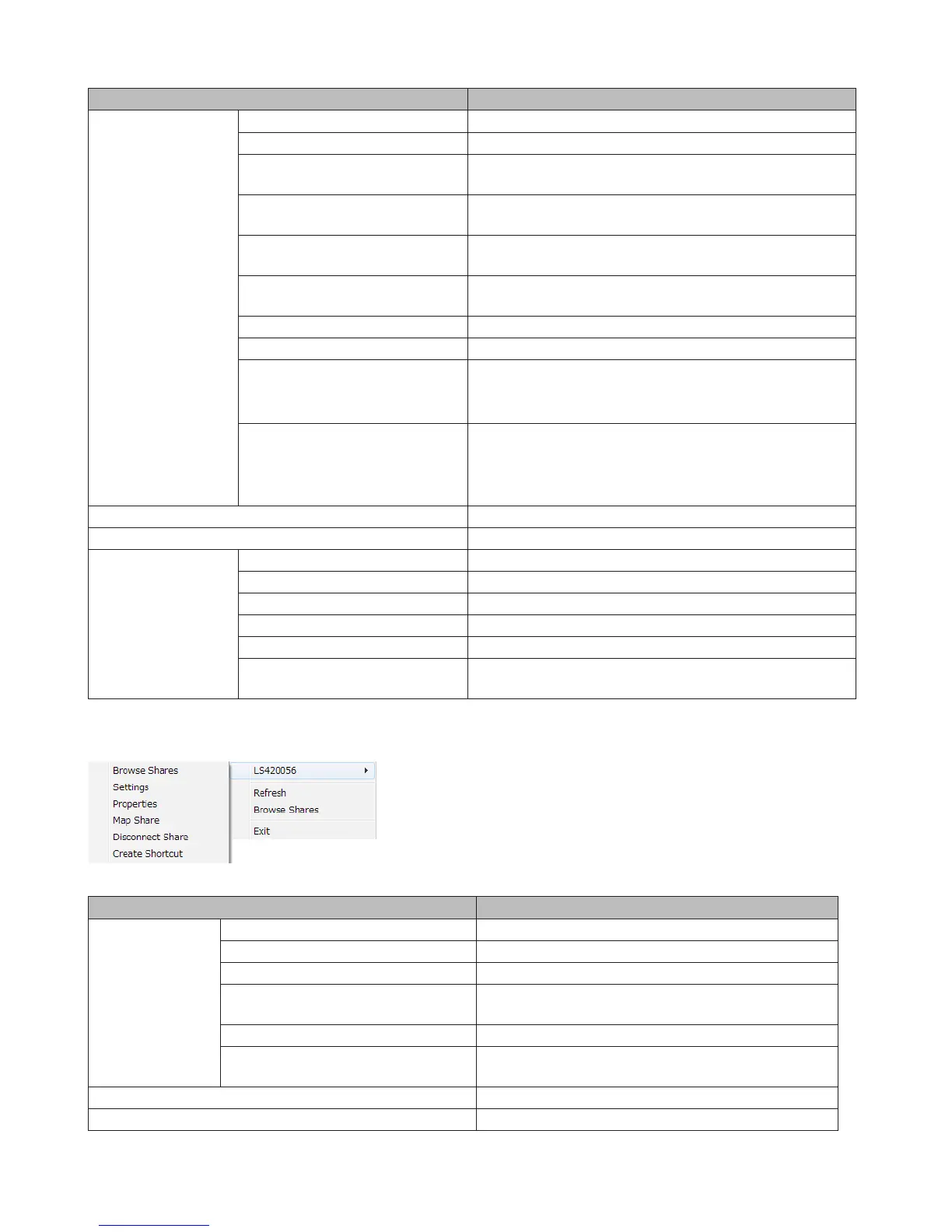
When NAS Navigator2 is minimized, right-click on the NAS Navigator2 icon in the system tray for the following options.
Name Description
NAS Name
Browse Shares Opens the LinkStation’s share folder.
Settings Opens Settings for the selected LinkStation.
Properties Opens the LinkStation’s properties page.
Map Share
Assigns the LinkStation’s shared folder as a network
drive.
Disconnect Share Unmaps the network drive.
Create Shortcut
Creates a shortcut icon to the LinkStation’s shared
folder (share) on the desktop.
Refresh Refreshes list of NAS devices.
Browse Shares Displays NAS Navigator2 window.















 To Next Page