34
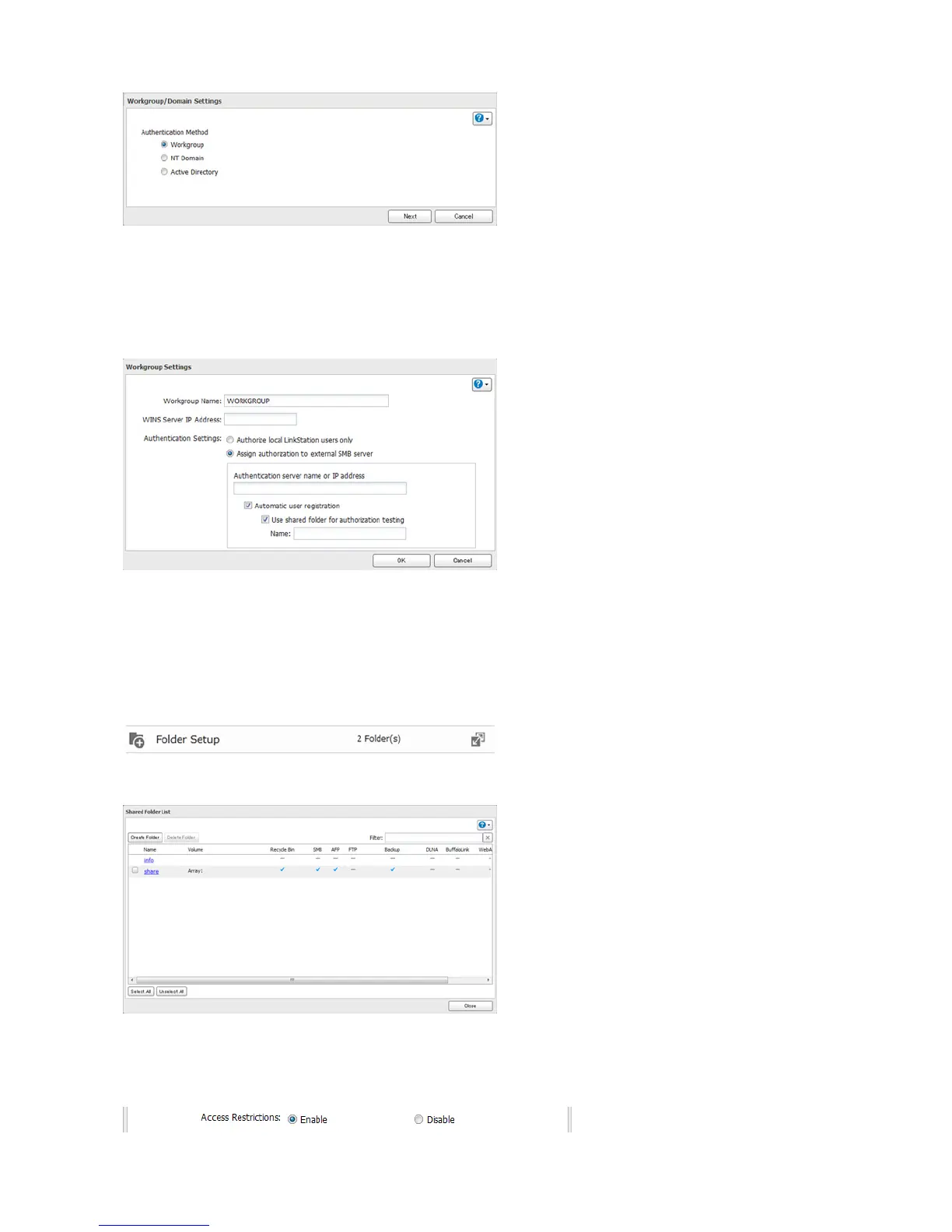
5 Click Next.
6 Enter a workgroup name. Select “Assign authorization to external SMB server” and enter the authentication server’s
IP address (recommended) or name. Check “Automatic user registration” and “Use shared folder for authorization
testing”. Enter the name for authorization testing and click OK.
7 A shared folder for authentication has been created on the LinkStation. Users registered to the specified
authentication server are automatically registered as users on the LinkStation when they open the shared folder
for authentication. You can also register users directly. Connect to the authentication folder via SMB, not FTP or
AFP.
8 Choose Folder Setup.
9 Choose a shared folder to set access restrictions on.
10 Click Edit.
11 Enable “Access Restrictions”.















 To Next Page