SECTION 2 - OPERATION
2-103
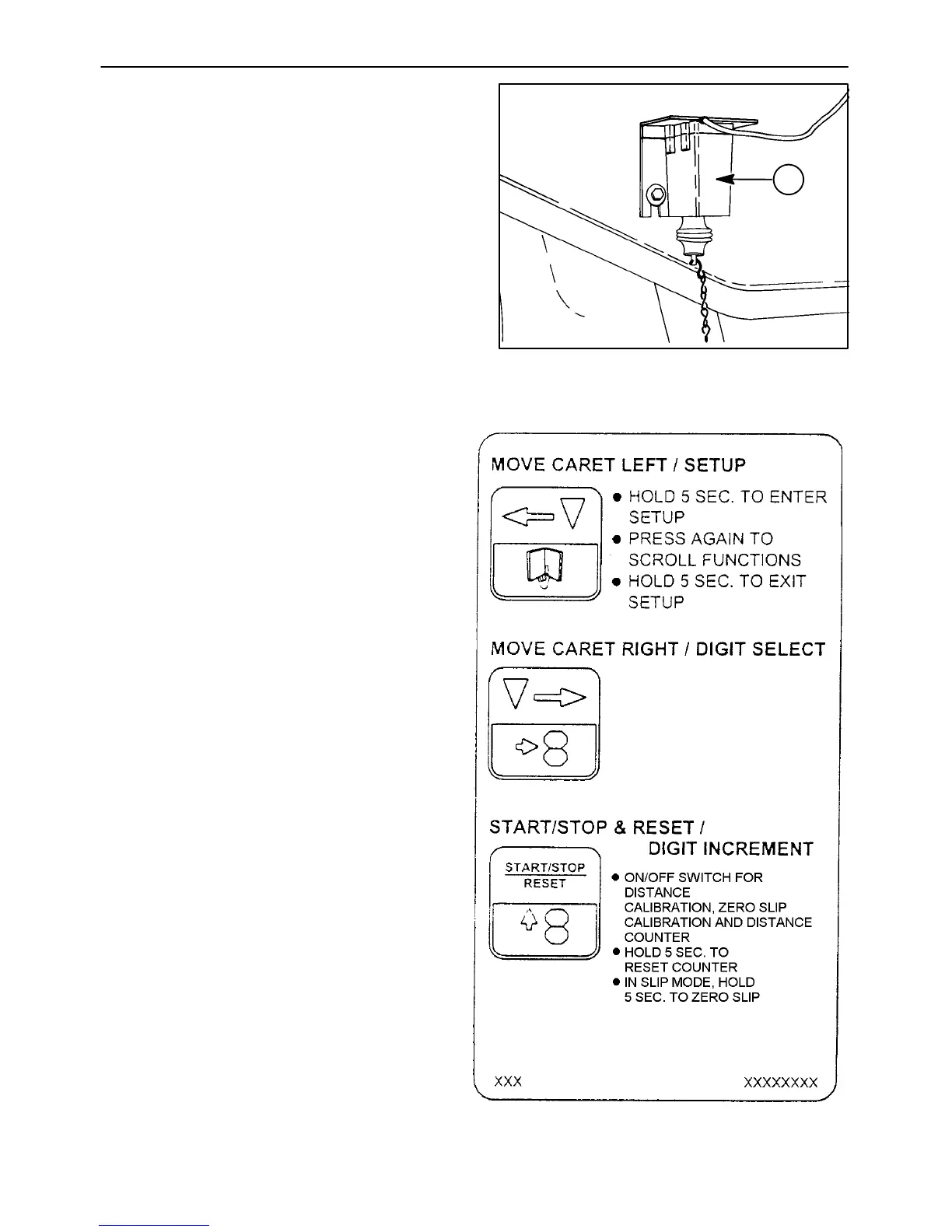
Implement Status Switch
The implement status switch, 1, installed at a
location on the 3-point hitch or on the drawbar
implement, indicates to the console whether the
implement is up (area accumulation off) or down
(area accumulation on).
The console displays an “UP” message which
should be synchronized with the implement
position.
Figure 2-138
1
OPERATOR’S CONTROLS
The various functions of the touch-sensitive
switches of the performance monitor are detailed
in the following description. Read through this
description completely before attempting to
use the switches.
Each of the three touch-sensitive switches is
multifunctional, performing one function in the
OPERATE mode and another function in the
SET UP mode.
The SET UP functions are indicated on the
switch by symbols in the lower half and
OEPRATE functions in the upper half.
NOTE: Whenever the ignition switch is
turned from “OFF” to “RUN,” the Tractor
Performance Monitor will automatically be in
the OPERATE mode.
Each correct touch operation of any switch will
be accompanied by a short beep from the alarm.


 To Next Page