29
Control and display elements
AUTOMATIC operating state (DIP switch 4 set to OFF):
Button Function
1 Start the X.TUNE
function:pressbuttonfor5secondsuntilLED2(green)ashes
2 -
1 and 2
simultane-
ously
Longerthan10s(<30s,LED2ashesat5Hz):Devicerestart
Longerthan30s(LED2ashesat10Hz):Resetdevicetofactorysetting
Table 8: Conguration of the buttons for AUTOMATIC operating state
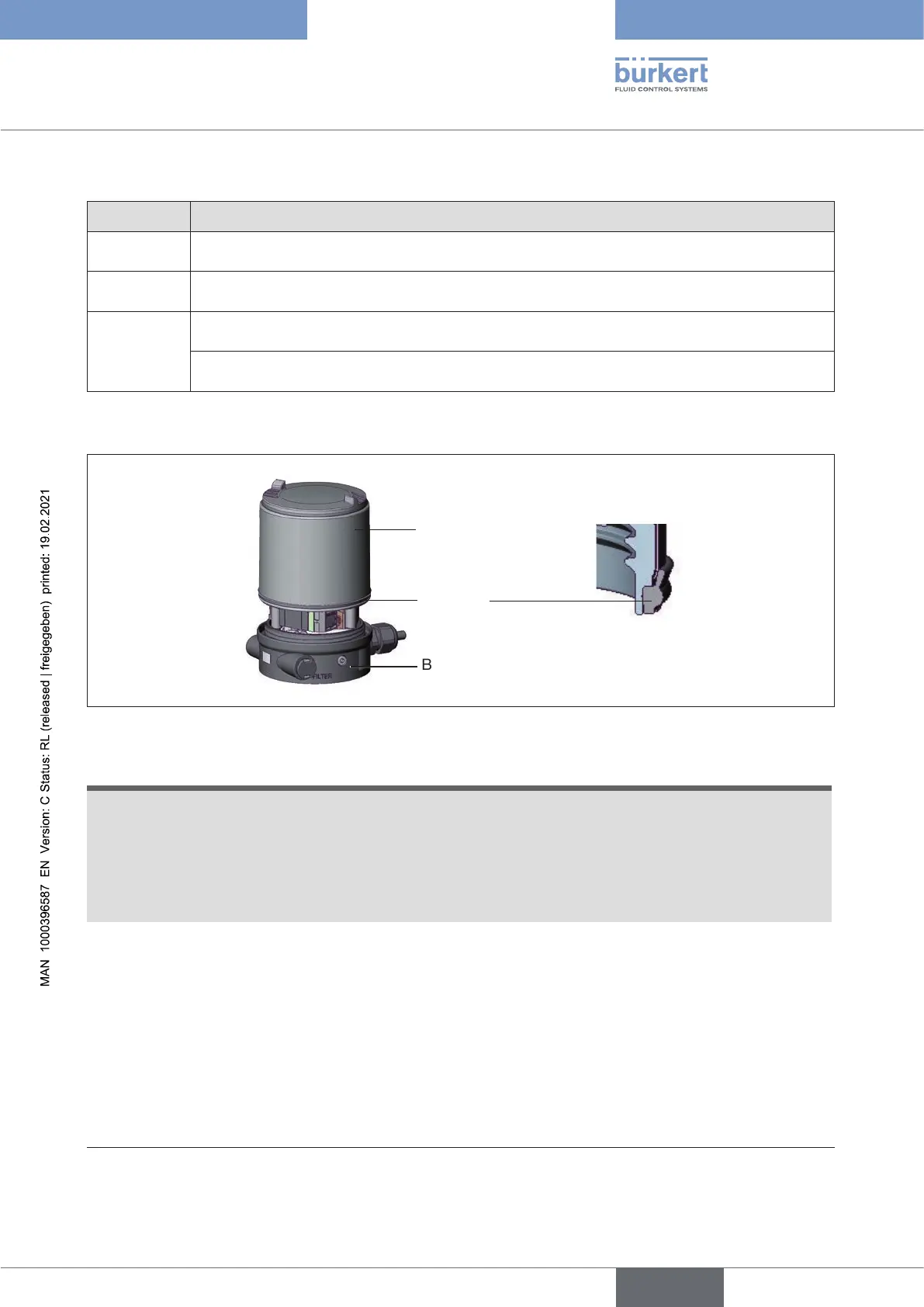
Seal
body casing
Body casing
Basic housing
Figure 14: Position of the seal in the body casing
ATTENTION!
Breakageofthepneumaticconnectionpiecesduetorotationalimpact.
▶ When unscrewing and screwing in the body casing or transparent cap, do not hold the actuator of the
process valve but the basic housing.
Damageormalfunctionduetopenetrationofdirtandhumidity.
▶ To observe degree of protection IP65 / IP67, screw the transparent cap in all the way.
→ Close the device (assembly tool: 674077
14)
).
14) The assembly tool (674077) is available from your Bürkert sales oce.
english
Type 8694 REV.2



 To Next Page