61
Start-up
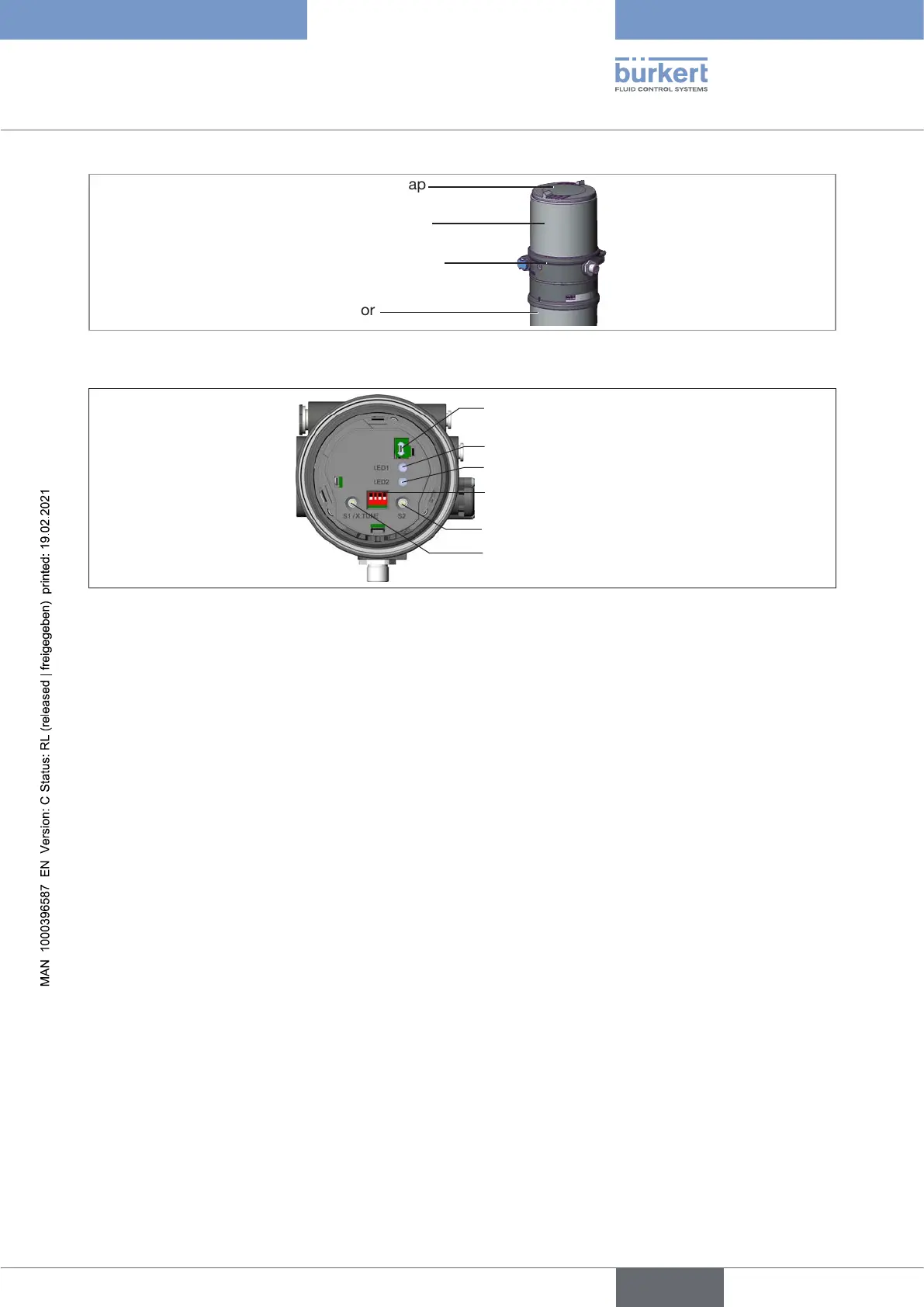
Body casing
Basic housing
Actuator
Transparent cap
Figure 45: Open positioner
1 2 3 4
ON DIP
Communications
interface
LED 1
LED 2
DIP Switches
Button 1
Button 2
Figure 46: Automatic adjustment X.TUNE
→ Insert micro USB plug in communications interface.
→ Establish connection to PC with USB-büS interface set.
→ Starting Bürkert Communicator.
→ Implementing settings.
13.3.2 Connecting büS device with Bürkert Communicator
Required components:
• Communications software: Bürkert Communicator for PC
• USB-büS interface set (see accessories)
→ Establish connection to PC with USB-büS interface set.
→ Starting Bürkert Communicator.
→ Implementing settings.
english
Type 8694 REV.2



 To Next Page