Programmable HV Power Supply
Revision 19
n
CAEN
T o o l s f o r D i sc o v e r y
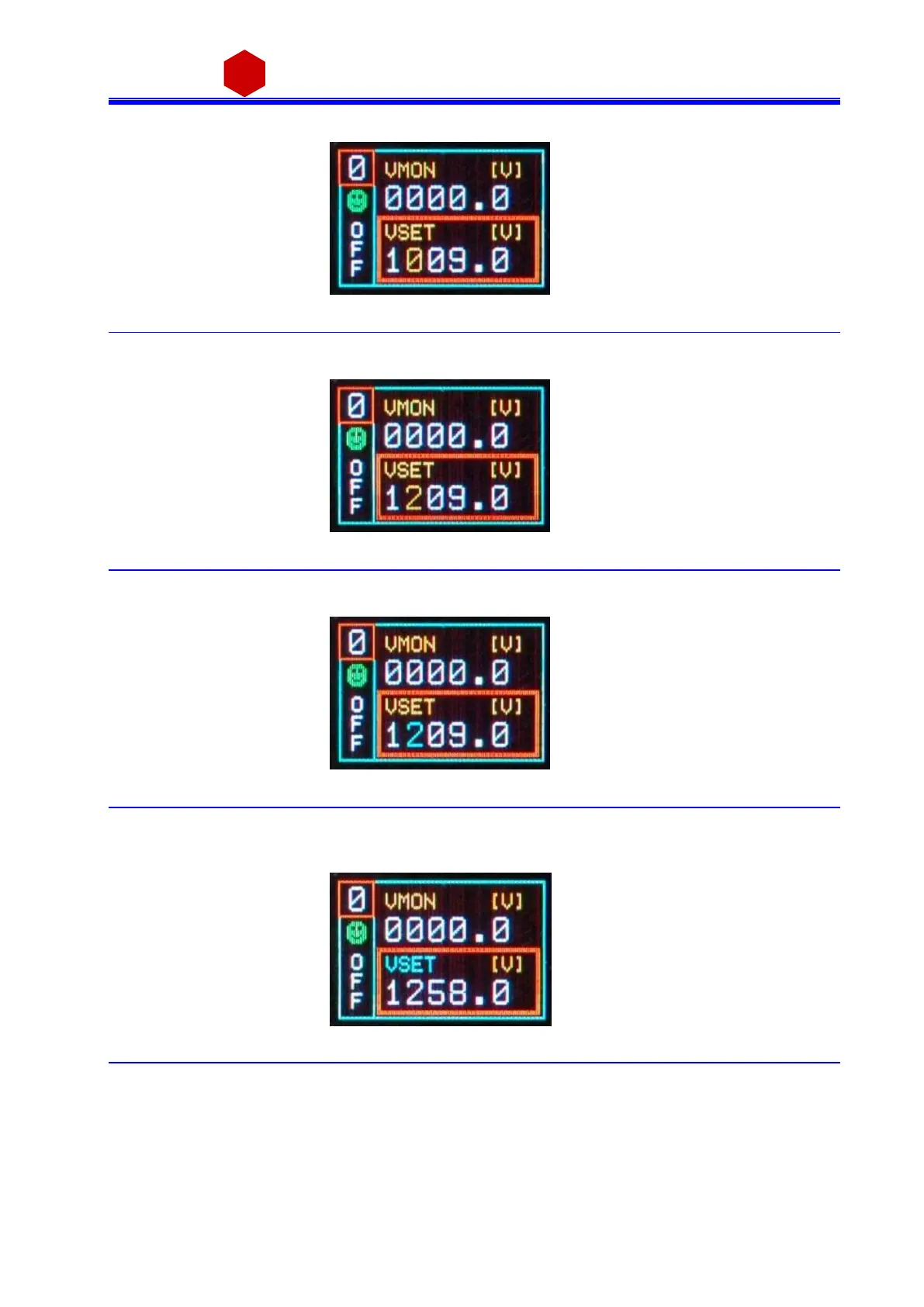
Push the TUNE ROTARY SWITCH: a t thi s point the va l ue di git becomes yellow and can be edited
Fig. 3.12: Channel VSET digit access screen
Turn the TUNE ROTARY SWITCH until the di git reaches the des i red value
Fig. 3.13: Channel VSET digit adjust screen
Confi rm it by pus hing the TUNE ROTARY SWITCH, the edi ted di gi t returns bl ue
Fig. 3.14: Channel VSET digit confirm screen
Once all the digits a re set to the des ired value, turn the TUNE ROTARY SWITCH until the pa rameter na me
returns blue
Fig. 3.15: Channel VSET confirm screen
Push the TUNE ROTARY SWITCH in order to de -s elect the pa rameter, the frame returns to bl ue



 To Next Page