Programmable HV Power Supply
Revision 19
n
CAEN
T o o l s f o r D i sc o v e r y
3.2.3.1 Group Settings
8
Group s etti ngs a ll ow to broa dcast the s ame parameter value to a ll cha nnel s.
In order to opera te Group settings :
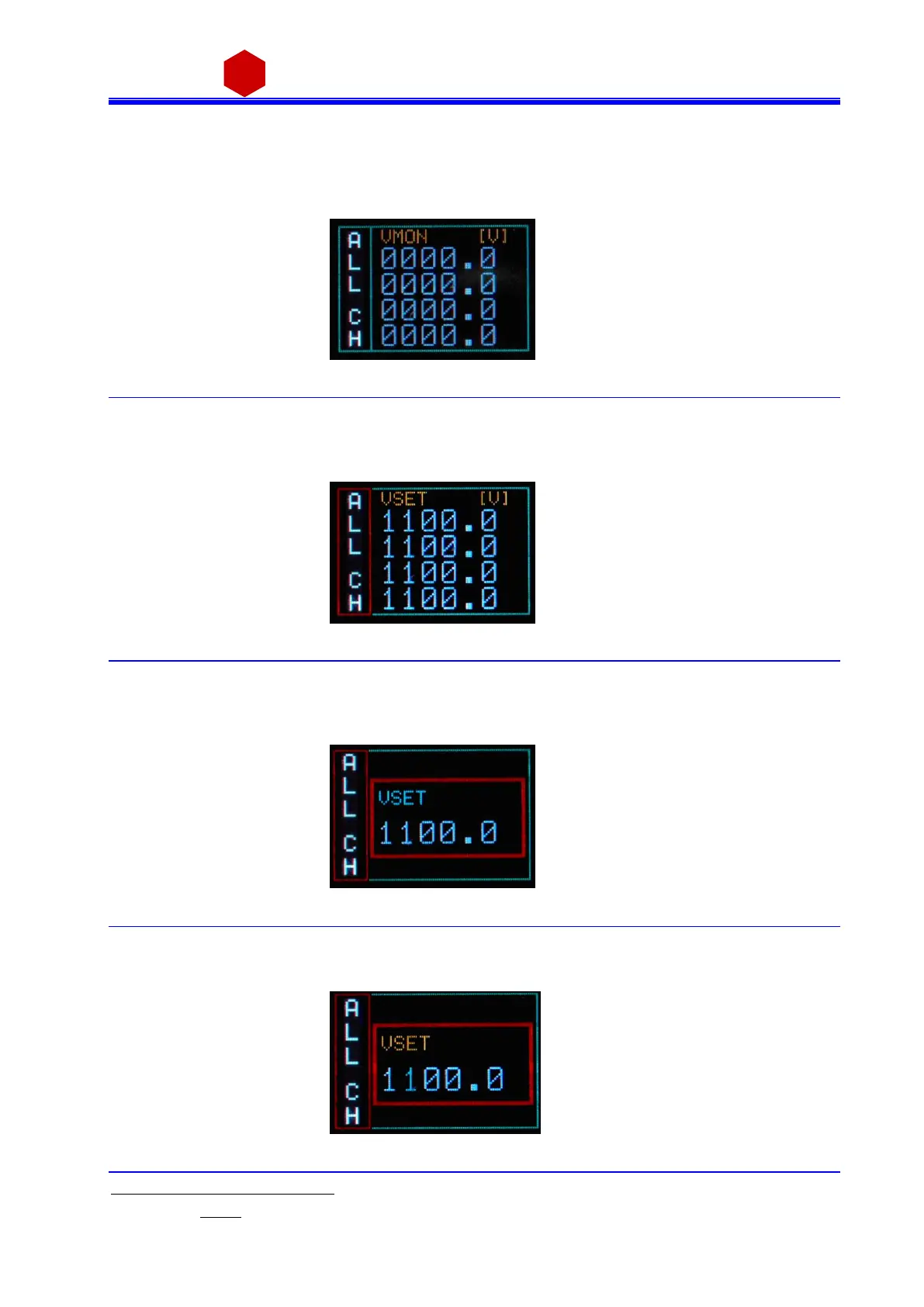
Turn the TUNE ROTARY SWITCH until ALL is di splayed in the left col umn
Fig. 3.19: Group selection
Push the TUNE ROTARY SWITCH: at this point the frame of the left col umn becomes red and the GROUP is
selected. Turn the TUNE ROTARY SWITCH until the parameter to be s et (for example VSET) is di splayed in the
right col umn (all four cha nnels va l ues ).
Fig. 3.20: Group active
Push the TUNE ROTARY SWITCH: at this point the parameter i s selected, its frame is s hown in red a nd i ts na me
in blue (only one value common to all channels; pre -set value is picked from Channel 0); it is now possi ble to
cha nge the parameters value.
Fig. 3.21: Group VSET access screen
Turn the TUNE ROTARY SWITCH until the value digit to be edi ted is s hown in bl ue, the parameter name in
yell ow
Fig. 3.22: Group VSET digit selection screen
8
Mod. N1471B has not group settings; Mod. N1471A has group settings, 2 channels values are displayed



 To Next Page