Programmable HV Power Supply
Revision 19
n
CAEN
T o o l s f o r D i sc o v e r y
It i s possible to communicate via Ethernet with one or more dais y cha ined N1471 modul es through the
NIM8301 Fan Unit
9
. Communication via Ethernet is poss ibl e only through the USB - RS485 Communication
Protocol. The single module or the first module of the daisy chain must be connected to the Fan Unit RS232 port
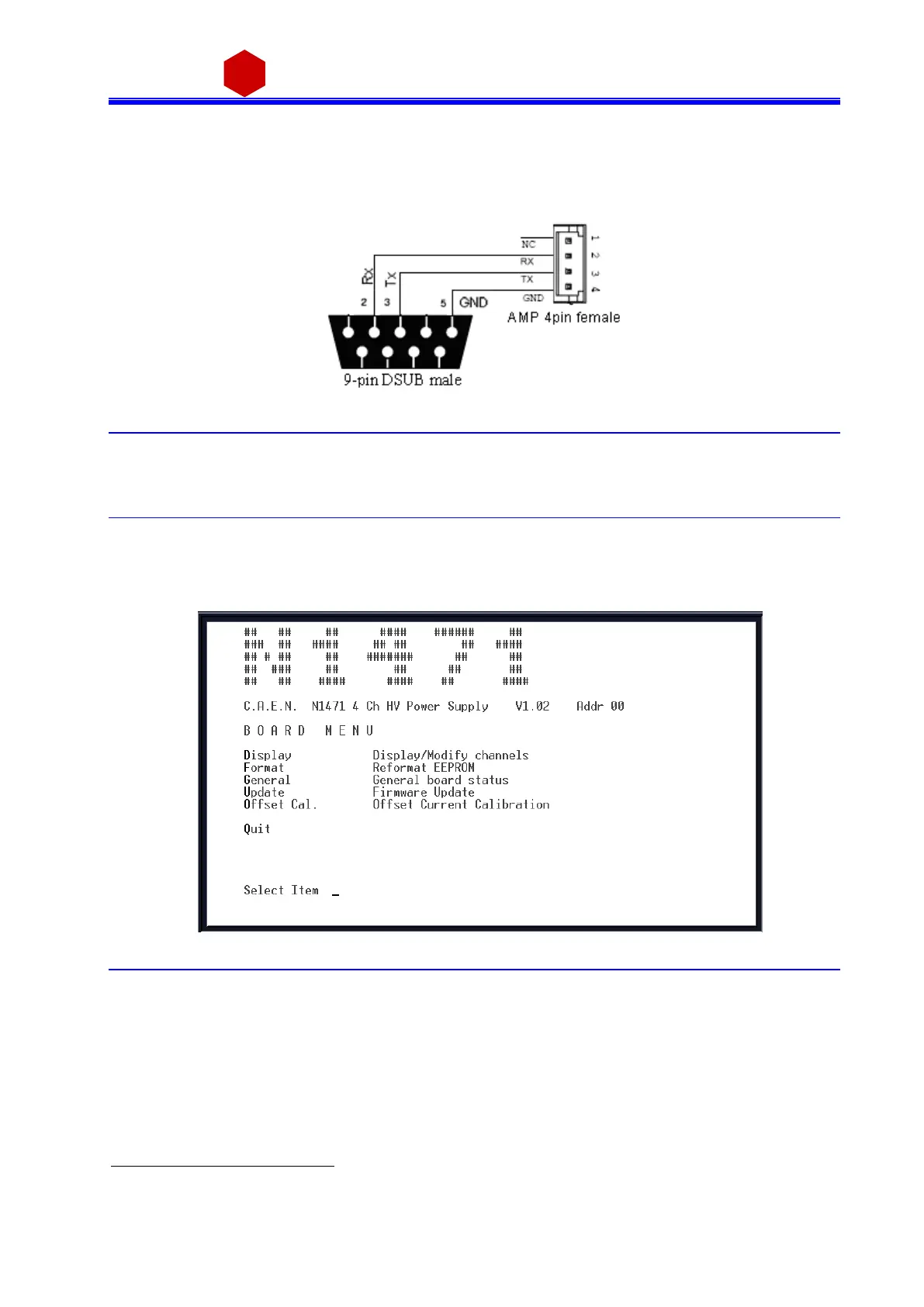
through the cable adapter (see fi gure below) connected to the N1471 COMM IN port; SW[200, 201] s wi tch
pl a ced on the Mi crocontroller board i ns ide the modul e must be s et to Ada pta tion ON (see § 4).
Fig. 3.32: RS232 port cable adapter
3.4.2 Communication Control
In order to launch the communi cation, type CAEN and then <Enter>
As the communica ti on is esta blis hed, the Main Menu wi l l be displayed.
3.4.2.1 Remote Control: Main Menu
Fig. 3.33: Main Menu
Type D to set/monitor channels parameters
Type F to forma t the EEPROM
Type G to monitor board sta tus
Type U to upgrade the fi rmwa re
Type O to perform the current offset ca li bra ti on
Type Q to exit the program
9
The CAEN Mod. NIM8301 is a 7U (5+2) full size NIM crate (19”-12 slot) available w ith pluggable 300W and 600W power supplies,
ventilated by pluggable 2U fan unit. Remote control and monitoring take place through CAN bus, Ethernet, USB and RS232
interfaces.



 To Next Page