Programmable HV Power Supply
Revision 19
n
CAEN
T o o l s f o r D i sc o v e r y
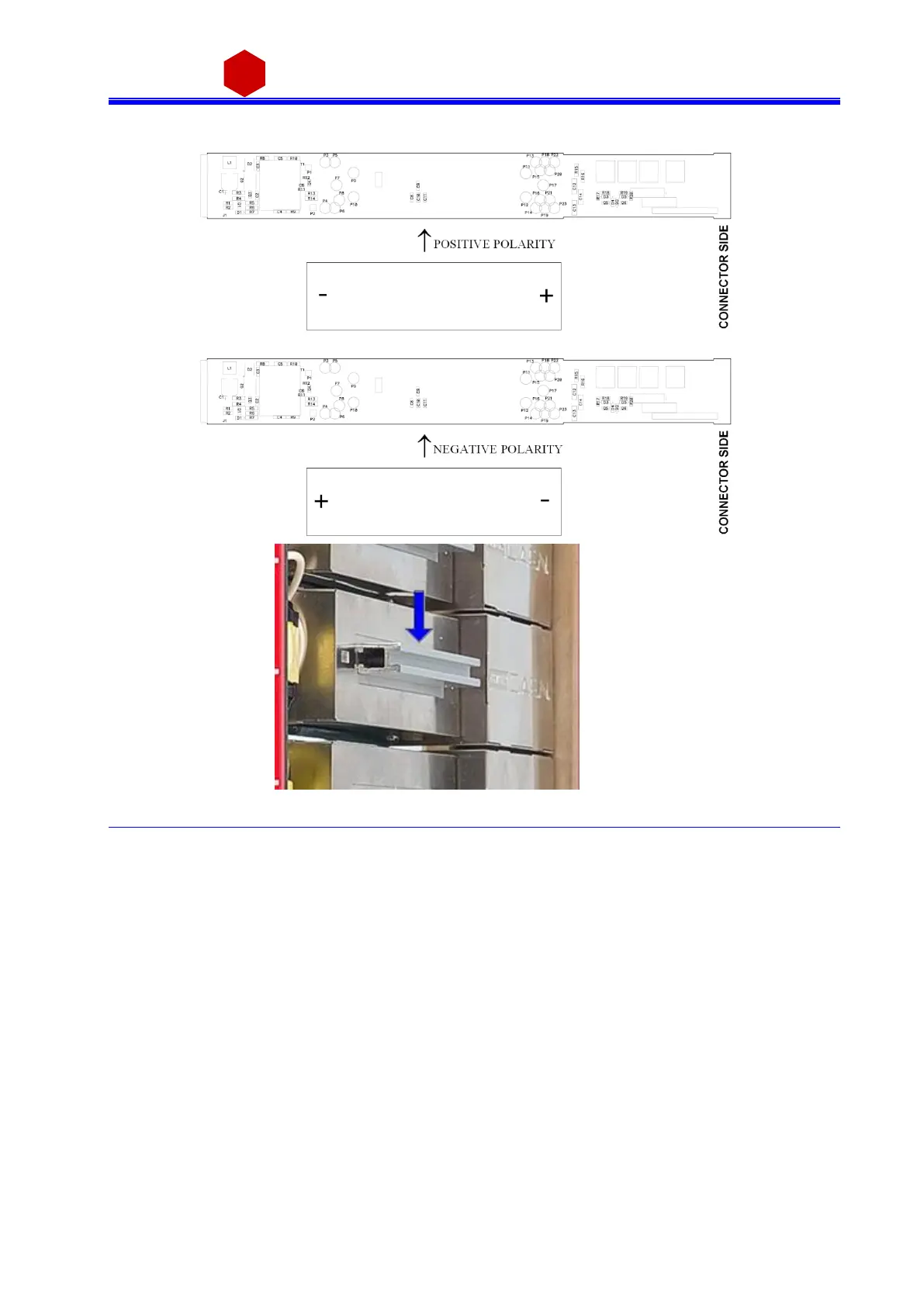
Fig. 4.2: Polarity selection instructions
In order to choose the POSITIVE POLARITY, plug the diode bridge box, with the +
symbol towards the connector side.
In order to choose the NEGATIVE POLARITY, plug the diode bridge box, with the -
symbol towards the connector side.
Always pull and plug the diode bridge box by holding it on the handle pointed by the
arrow in Fig. above.
Once settings are done, put the right s i de cover ba ck i n pl ace wi th s crews 1, 2, 3, 4, 5, 6.



 To Next Page