Programmable HV Power Supply
Revision 19
n
CAEN
T o o l s f o r D i sc o v e r y
3.4.2.2 Remote Control: General Menu
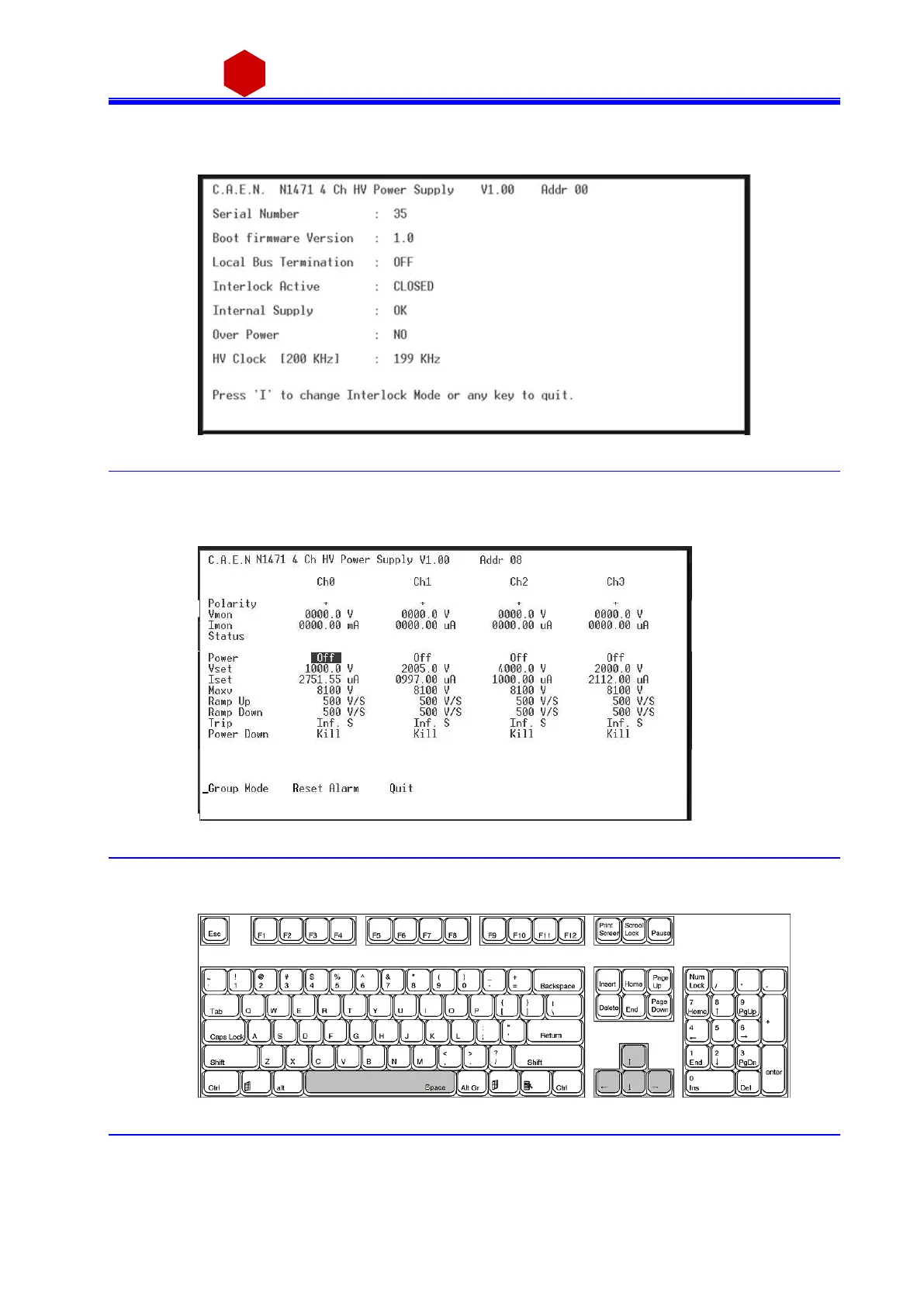
By typi ng G i t i s possi ble to a ccess the General Menu whi ch incl udes th e boa rd’s genera l s ettings .
Fig. 3.34: Board Status Menu
3.4.2.3 Remote Control: Channels Menu
By typi ng D it i s possi ble to monitor and s et a ll the channels pa rameters l i sted in § 3.2.3
Fig. 3.35: Channels Menu
In order to change one parameter: point the parameter with the arrow keys (see figure bel ow), a nd type the
des ired value, confirm by pressing <Enter>; Power and Power Down can be changed us ing the <Spa ce> bar.
Fig. 3.36: PC keyboard
When one parameter is active, by typing G it i s possible to make a “group setting”, i.e. broadcast the s ame value
to all cha nnel s (the parameter becomes active on al l cha nnels, see figure).



 To Next Page