14 TYPE R Radio Production System Start Up Guide
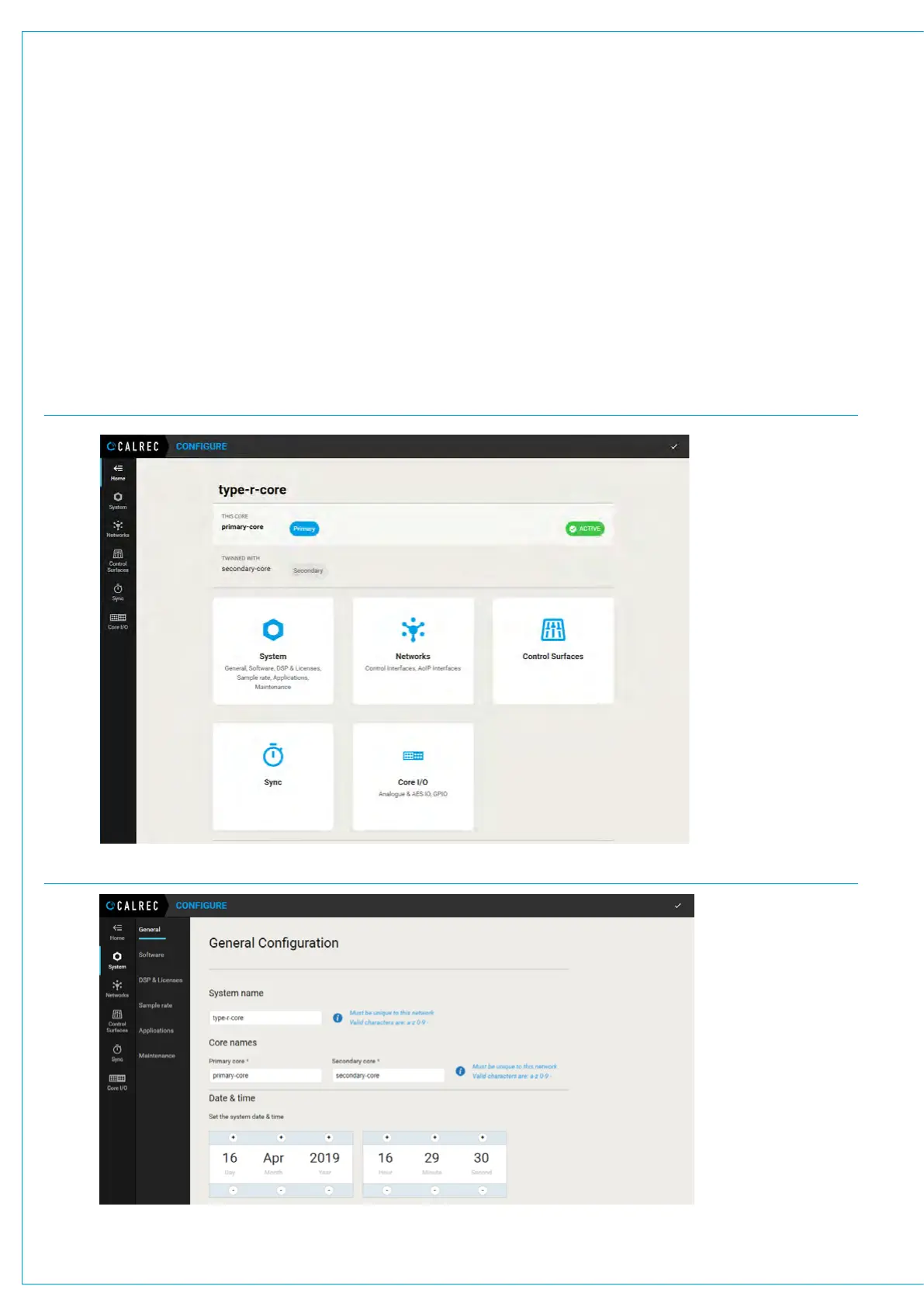
1. Open Google Chrome, type 172.16.255.19 into the address bar and press enter to navigate to the Core Configure
landing page.
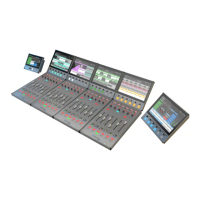
2. Click on System. The System>General Configuration page will be displayed.
3. Set the system date & time.
4. You may also set new System and Core names here. These names will be used by the system to identify and announce
cores, as well as in system status messages, so it is important for all the cores you own to be given unique names.
CORE CONFIGURE LANDING PAGE
CORE CONFIGURE GENERAL CONFIGURATION PAGE
2. ACCESS THE BASIC CORE CONFIGURATION


 To Next Page