72 TYPE R Radio Production System Sync, Audio & GPIO Connections
SYNCHRONISATION
Type R Synchronisation sources.
The UR6500 Processing Engine Core
primarily obtains an audio synchronisation
source from the external AoIP network’s
PTPv2 clock via the 2 optional US6493
AoIP internal devices. It also has four
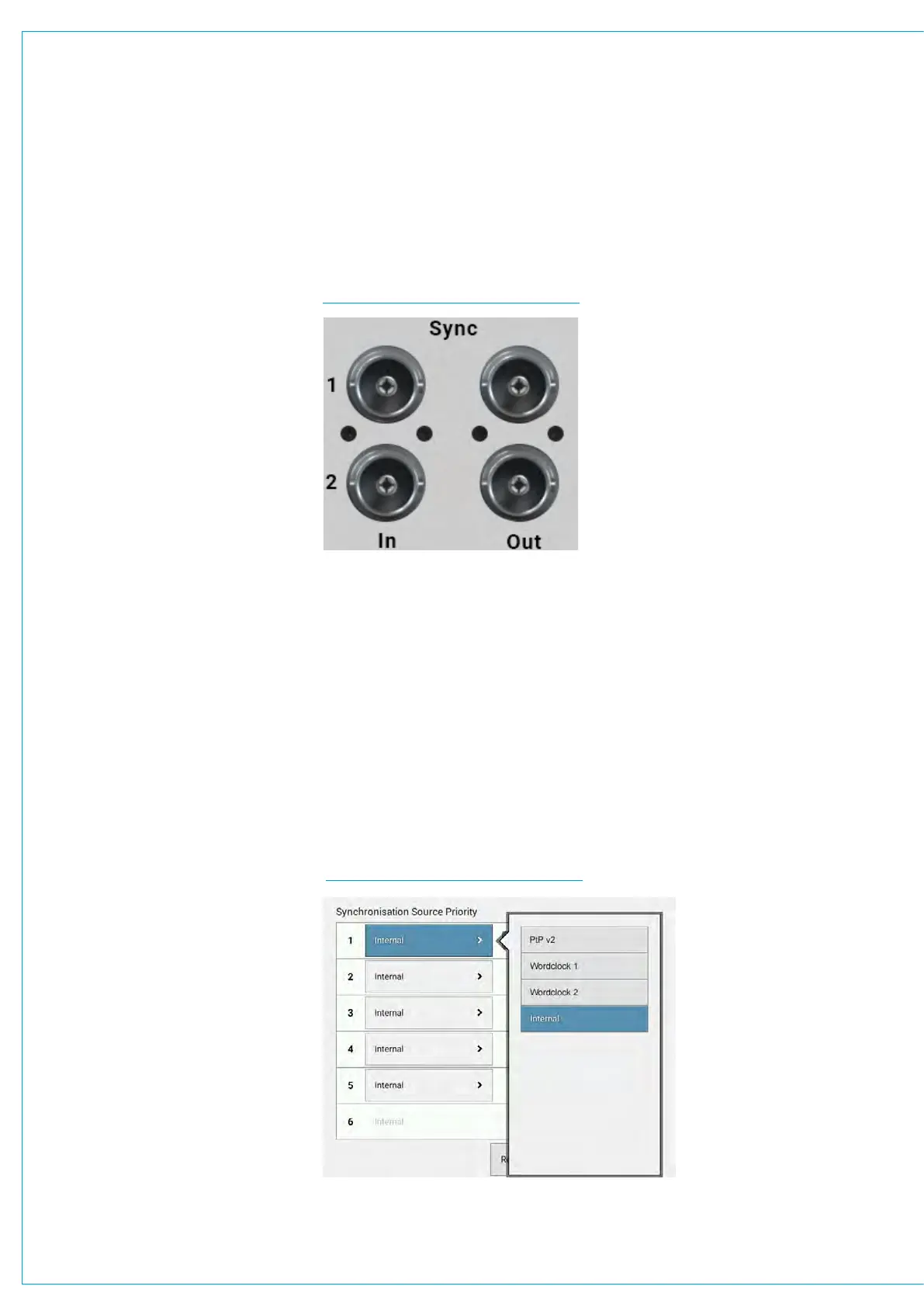
BNC connectors on its rear panel
for incoming and outgoing system
synchronisation sources:
• 2 x TTL word clock inputs
• 2 x TTL word clock outputs
The firmware multiplexes these sources
based on a prioritisation list and failover
arrangement to select and lock-on to an
active reference clock or switch to an
alternative source if synchronisation is
lost.
The board also includes an on-board
reference clock for use when neither the
external AoIP clock or the rear panel sync
inputs are selected.
AoIP Clock
This can be considered the primary sync
source for the UR6500. Each US6493
AoIP device provides a set of audio
clocks to the UR6500’s FPGA firmware
incorporating a base rate clock (running at
FS rate), a BCLK bit-rate clock (64FS) and
an SCLK system clock (generally either
128FS, 256FS or 512FS). The FPGA
uses these clock sources to sync to the
external AoIP network PTPv2 clock.
If no external sync is connected and
selected, the console will free-run on its
own internal reference clock.
General rules of good practise require
that all equipment connected to the audio
console’s digital inputs and outputs are
locked to the same referenced sync
source as the console to ensure clean
audio. It is of paramount importance that
all connected processing cores are locked
to the same referenced sync source.
It is recommended that backup sync
sources and paths are considered to
maintain full functionality in the event of
the loss of any part of the facility’s sync
distribution system.
SYNC INPUTS
EXTERNAL SOURCES TABLE
When no optional US6493 AoIP interfaces are fitted to the core, external sync
sources can be fed to the BNC connectors on the rear of the core as shown below.
Two TTL Wordclock inputs are available.
See External sources table below and the Type R User manual for information on how
to set up synchronisation priority.
The console will always attempt to boot to the highest priority sync selected, and move
down the priority list until it finds a valid sync.
If a valid sync later fails, it will move down the list. If no valid sync is present, the system
will always default to internal as this is fixed as the last source in the list. The priority
will never automatically move back up the list even if a higher priority sync becomes
available. Press the ‘Reset To First’ button to move back up to the top of the list.
It is important that the required sync source is available before the console boots up
otherwise it won’t be locked to the correct sync. If this occurs press the ‘Reset to first’
button after the sync generator is running.


 To Next Page