122 TYPE R Radio Production System Software Updater
A newer software version may have been released since your Type R system left Calrec. To check the version installed on your
system, follow these steps:
1. Open Google Chrome on the connected PC, type 172.16.255.40 into the address bar and press enter to navigate to
the Software Updater landing page.
Note: If Google Chrome is not installed, navigate to https://www.google.com/chrome/ to download and install it.
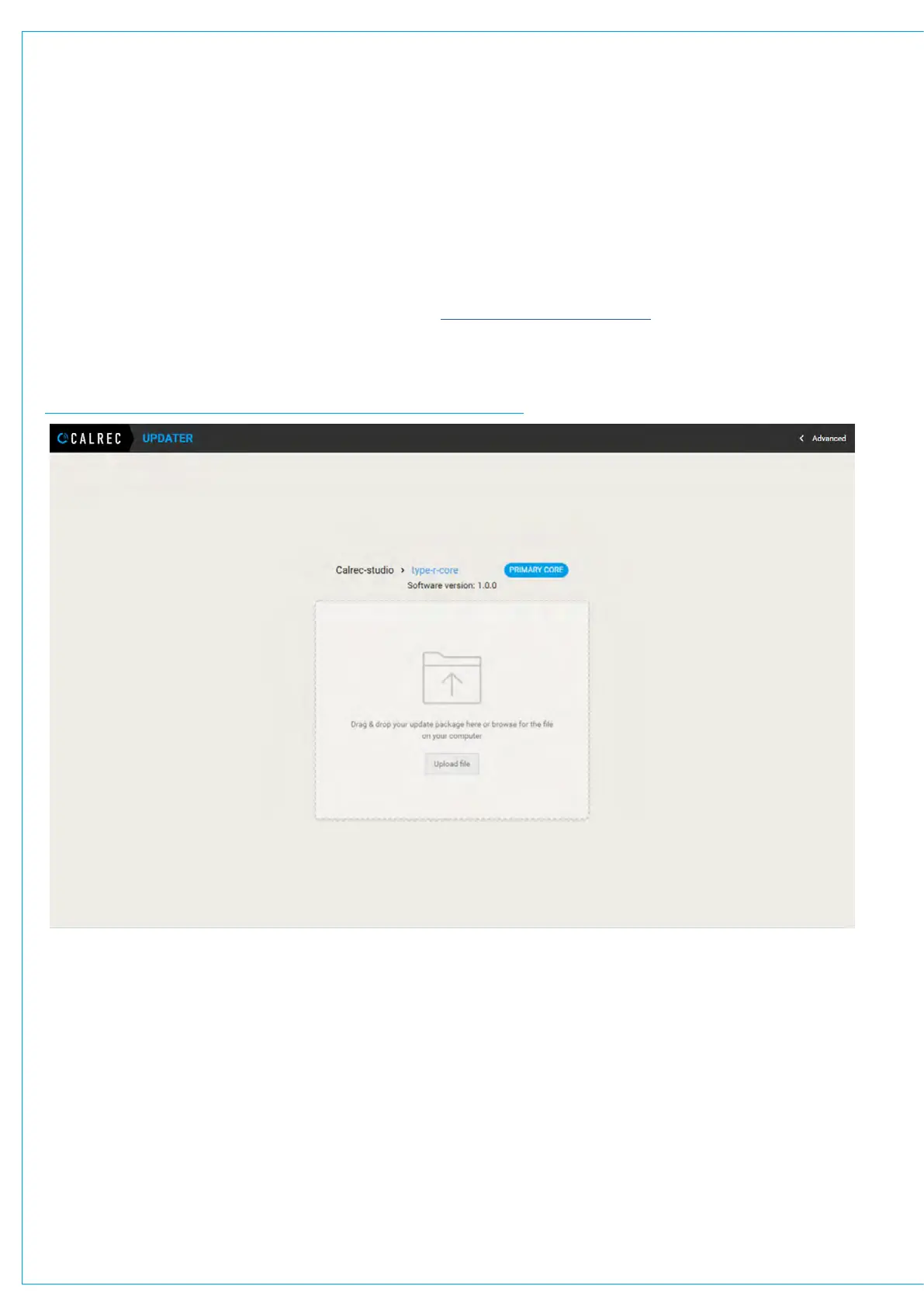
2. The installed software version is displayed below the system and core names and above the file upload area.
SOFTWARE UPDATER DISPLAYING INSTALLED SOFTWARE VERSION
UPDATE CORE SOFTWARE TO THE LATEST VERSION


 To Next Page