69
HARDWARE POWER CONNECTIONS
POWER CONNECTIONS TO THE CORE
POWER CONNECTIONS TO THE COMBO, ANALOGUE AND AES I/O BOXES
Type R Core, and I/O boxes require mains power via standard IEC connections.
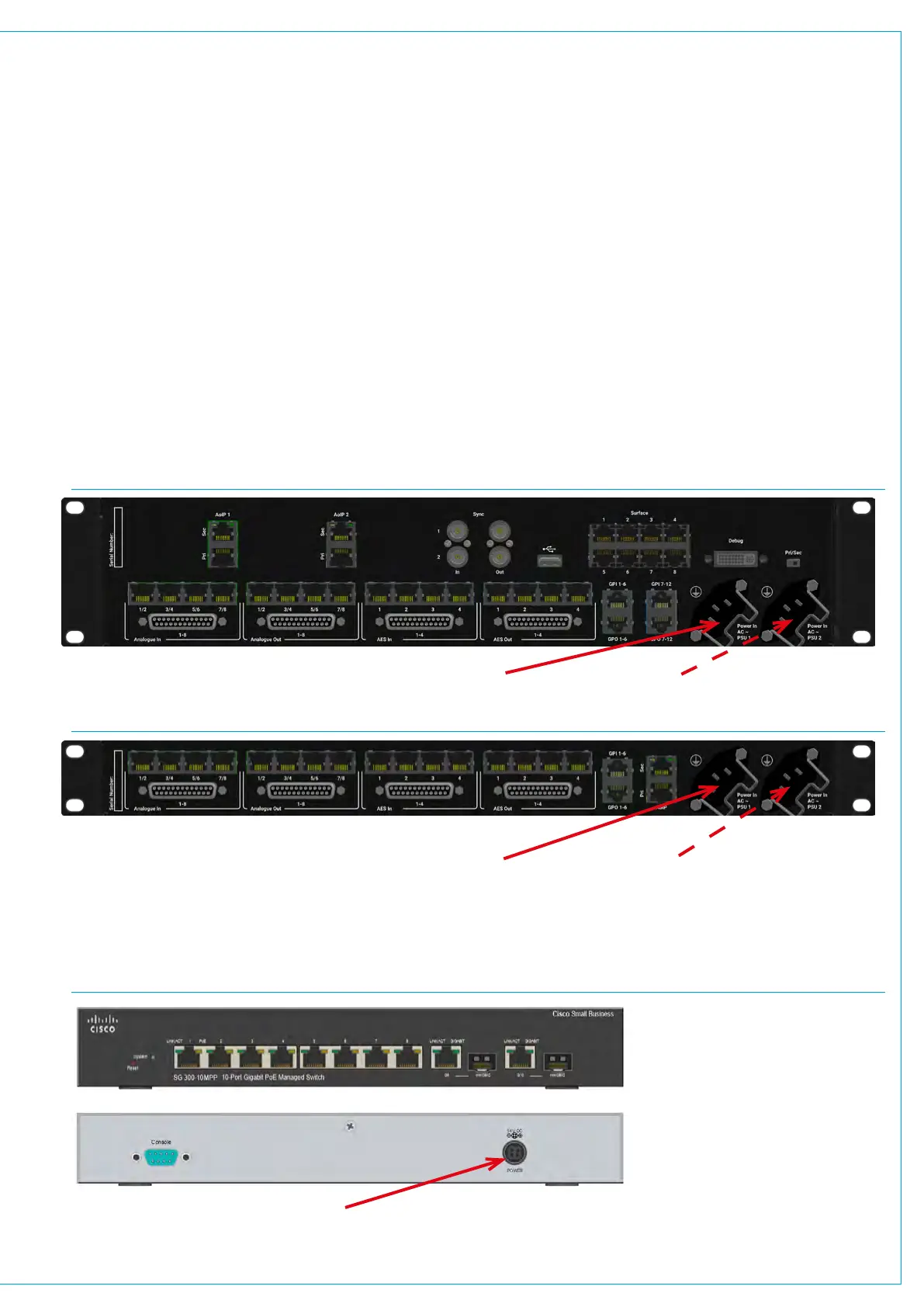
Each of these boxes contains two power supply units, which are supplied with AC power by two independent male IEC inlets. These
dual power supplies provide full power redundancy: a feature of all Calrec products. While Type R hardware can be run off one power
connection it is advised, for redundancy, that you connect a separate power source to the primary and secondary power inlets. In the
following diagrams the primary power connections are indicated by a solid arrow and the secondary connections by a dashed arrow.
A PSU failure or a loss of AC power input will generate a system status error message.
The two PSU’s employ load sharing. If one PSU fails, the other will automatically take over the full load with no loss of audio or
operation.
Disconnecting the PSUs
Type R units do not contain a separate Mains power switch. To safely disconnect the mains power, both IEC connectors need to be
removed from the rear of the console, as shown below.
In addition, the console panels are powered via PoE+ switches which are in turn, powered by AC-DC power supplies. The
Cisco SG350-10MP switches supplied with the Type R system are capable of supplying up to 15.4W to each of their 8
Gigabit ports. Power is derived from an external AC-DC power adapter, which supplies 54v DC to the switch.
POWER CONNECTIONS TO THE PANELS VIA POE+ SWITCHES
Primary Mains Input Secondary Mains Input
Primary Mains Input Secondary Mains Input
54v DC Power Adapter Input


 To Next Page