v Shooting with Creative Filter Effects
116
1
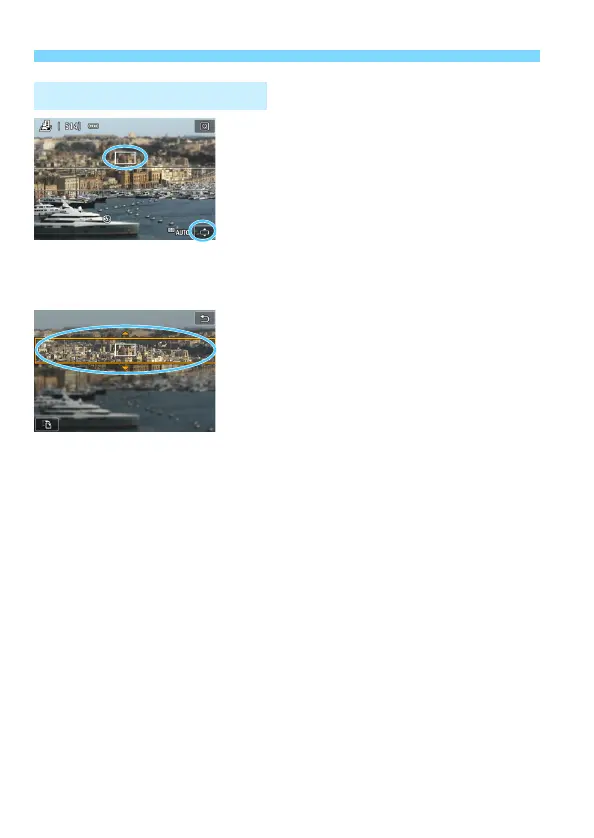
Move the AF point.
Move the AF point to where you want
to focus on.
If the AF point is not fully covered by
the miniature effect frame, the [r]
icon on the bottom right of the screen
will blink. In the next step, adjust the
position of the miniature effect frame
so that it covers the AF point.
2
Move the miniature effect frame.
Press the <u> button (or tap the [r]
icon on the bottom right of the
screen). The miniature effect frame
will turn orange and can be moved.
Press the <B> button (or tap the
[T] icon on the bottom left of the
screen) to switch between the
miniature effect frame’s vertical and
horizontal orientations.
Press <0> to set the position of the
miniature effect frame.
Press <W> <X> or <Y> <Z> to
move the AF point or miniature effect
frame. Press the <L> button to
return the AF point or miniature effect
frame to the screen center.
3
Take the picture.
Adjusting Miniature Effect



 To Next Page