422
You can power the camera with a household power outlet by using the
DC Coupler DR-E18 and AC Adapter AC-E6N (each sold separately).
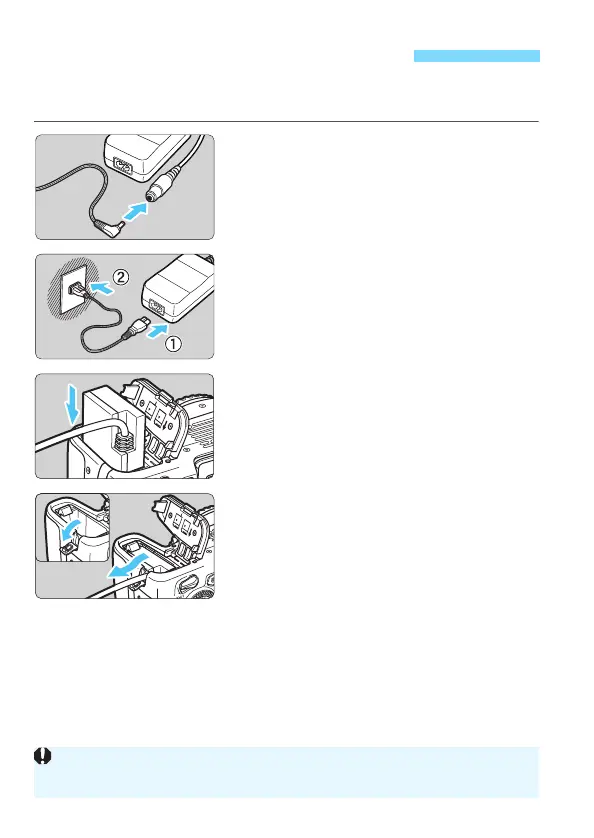
1
Connect the DC coupler’s plug.
Connect the DC coupler’s plug to the
AC Adapter’s socket.
2
Connect the power cord.
Connect the power cord as shown in
the illustration.
After using the camera, unplug the
power plug from the power outlet.
3
Insert the DC coupler.
Open the battery compartment cover
and insert the DC coupler securely
until it locks.
4
Push in the DC cord.
Open the DC cord hole cover and
install the cord as shown in the
illustration.
Close the battery compartment cover.
Using a Household Power Outlet
Do not connect or disconnect the power cord when the camera’s power
switch is set to <1>.



 To Next Page