15
Icons in this Manual
<6> : Indicates the Main Dial.
<5> : Indicates the Quick Control Dial.
<W><X><Y><Z> : Indicates the direction of the shift or move
when the key on the Quick Control Dial is
pressed.
<0> : Indicates the Setting button.
0/9/7/8 : Indicates that each function remains active
for approx. 4 sec., 6 sec., 10 sec., or 16 sec.
after you let go of the button.
* In addition to the above, the icons and symbols used on the camera’s buttons
and displayed on the LCD monitor are also used in this manual when discussing
relevant operations and functionality.
3 : Indicates a function that can be changed by pressing the
<M> button to change its settings.
O : This icon at the upper right of the page titles indicates that
the function is available only in the Creative Zone modes
(p.31).
(p.**) : Reference page numbers for more information.
: Warning to prevent shooting problems.
: Supplemental information.
: Tips or advice for better shooting.
: Troubleshooting advice.
Basic Assumptions and Sample Photos
All operations described in this manual assume that the power switch
is set to <1> and the <R> switch is set downward (Multi
function lock released) (p.57).
It is assumed that all the menu settings and Custom Functions are
set to their defaults.
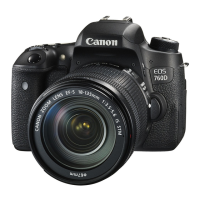
The illustrations in this manual describe the camera attached with the
EF-S18-135mm f/3.5-5.6 IS USM lens as an example.
The sample photos displayed on the camera and used in this manual
are only for illustrative purposes to show the effects more clearly.
Conventions Used in this Manual



 To Next Page