249
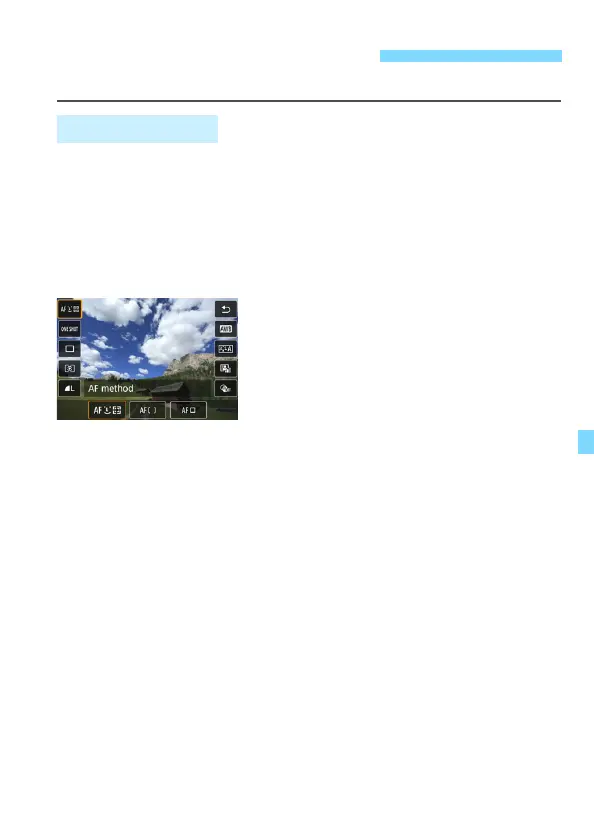
Function settings particular to Live View shooting are described here.
In Creative Zone modes, if you press the <Q> button with the image
displayed on the LCD monitor, you can set AF method, AF operation,
Drive mode, Metering mode, Image quality, White balance, Picture
Style, Auto Lighting Optimizer, and Creative filters.
In Basic Zone modes, you can set the functions shown in the table on
pages 118-119 (except background blur) as well as the functions in bold
above.
1
Press the <Q> button (7).
The settable functions will be
displayed.
2
Select a function and set it.
Press the <W> <X> keys to select a function.
The settings of the selected function and Feature guide (p.63)
will appear on the screen.
Press the <Y> <Z> keys to set the function.
In the <8> and <v> modes, select the shooting mode box
on the upper left of the screen, then press <0> to select the
shooting mode.
To set Auto white balance, select [Q], then press <0>.
To set the drive mode’s <q> setting, WB correction/WB
bracketing, Picture Style parameters, or Creative filter effects,
press the <B> button.
Shooting Function Settings
Q Quick Control



 To Next Page