Handy Features
326
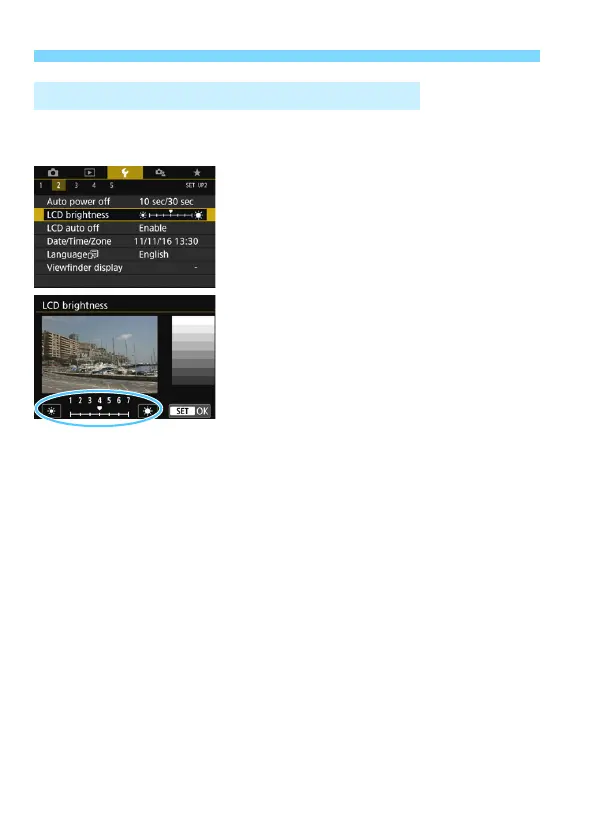
You can adjust the brightness of the LCD monitor to make it easier to
view.
Under the [52] tab, select [LCD
brightness], then press <0>. Press
the <Y> <Z> keys to adjust the
brightness on the adjustment screen,
then press <0>.
When checking the exposure of an
image, set the LCD monitor brightness to
4 and prevent the ambient light from
affecting the image.
3 Adjusting the LCD Monitor Brightness



 To Next Page