271
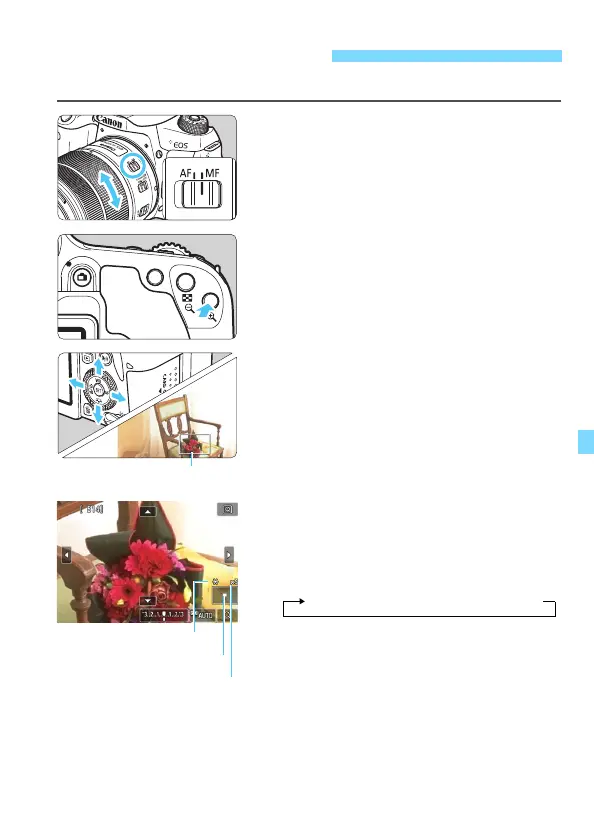
You can magnify the image and focus precisely with MF (manual focus).
1
Set the lens’s focus mode switch
to <MF>.
Turn the lens focusing ring to focus
roughly.
2
Display the magnifying frame.
Press the <u> button.
The magnifying frame will appear.
You can also tap [1] on the screen to
magnify the image.
3
Move the magnifying frame.
Press the <W> <X> or <Y> <Z>
keys to move the magnifying frame to
where you want to focus.
Pressing <0> or the <L> button
will return the magnifying frame to the
screen center.
4
Magnify the image.
Each time you press the <u> button,
the magnification of the image will
change in the following sequence:
MF: Focusing Manually
AE lock
Magnified area position
Magnification
1x 9 5x 9 10x 9 Normal view



 To Next Page