421
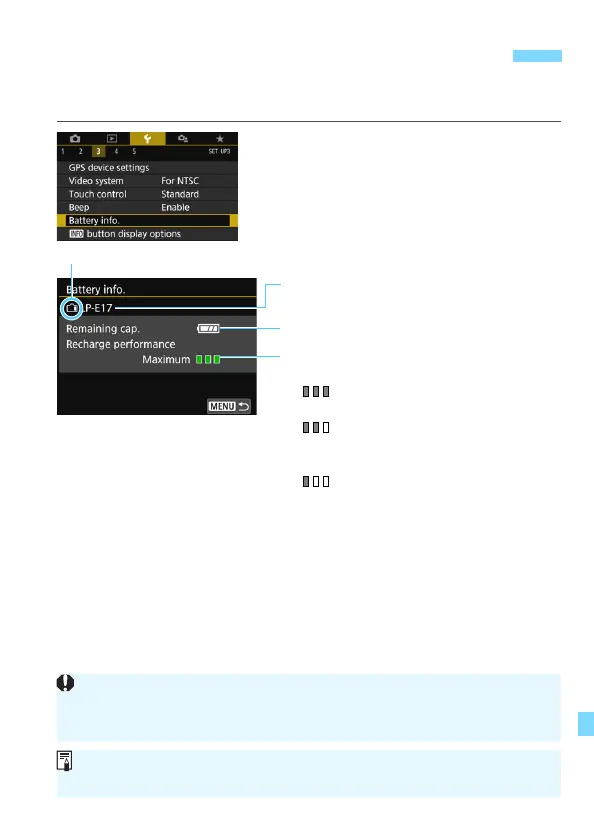
You can check the conditions of the battery you are using on the LCD
monitor.
Select [Battery info.].
Under the [53] tab, select [Battery
info.], then press <0>.
The battery information screen will
appear.
3 Checking the Battery Information
Battery model or household power source
being used.
The battery level (p.46) is displayed.
Battery’s recharge performance level is
displayed in three levels.
(Green) : Battery’s recharge
performance is fine.
(Green) : Battery’s recharge
performance is slightly
degraded.
(Red) : Purchasing a new
battery is recommended.
Battery position
Using a genuine Canon Battery Pack LP-E17 is recommended. If you use
batteries that are not genuine Canon products, the camera’s full
performance may not be attained or malfunction may result.
If a battery communication error message is displayed, follow the
instructions in the message.



 To Next Page