B: Shooting Information Display
388
* If manual exposure is used, the shutter speed, aperture, and ISO speed (when
set manually) will be displayed.
*The <
t> icon will be displayed for video snapshots.
AF Point Display
When [33: AF point disp.] is set to [Enable], the AF point that
achieved focus will be displayed in red. If automatic AF point
selection is set, multiple AF points may be displayed at the same
time.
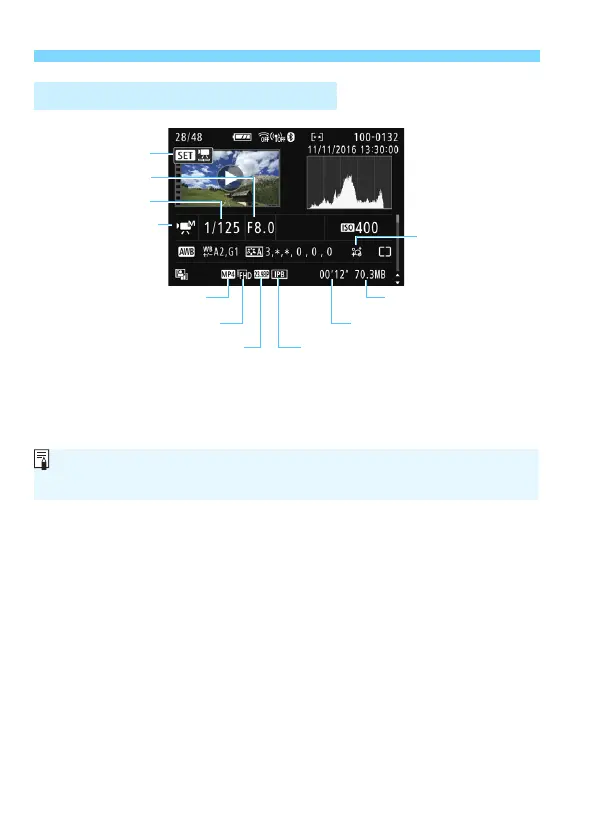
Sample Movie Information Display
Movie shooting mode/
Time-lapse movie
Movie file size
Shutter speed
Compression method
Movie recording size Shooting time, Playback time
Playback
Aperture
Frame rate
Recording format
Creative filters/
Movie digital IS
During movie playback, “*, *” will be displayed for [Fineness] and
[Threshold] of [Picture Style]’s [Sharpness].



 To Next Page